GPS Attendance App for Small Business in India (2026)
Payal focuses on leave management and compliance workflows for Indian businesses.
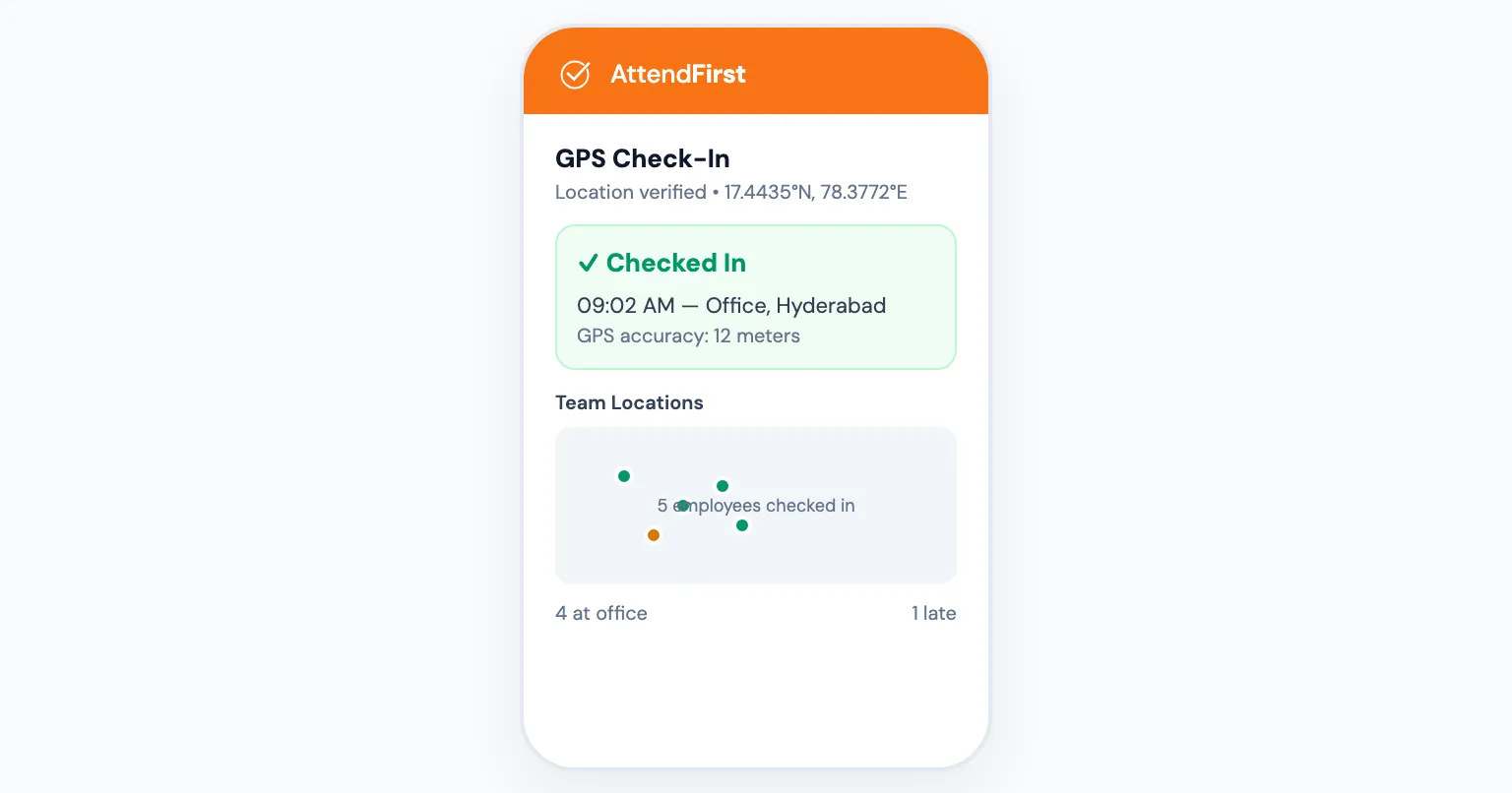
A GPS attendance app records employee check-in location using their phone’s GPS sensor, providing real-time proof of where and when they arrived. It costs ₹0 to ₹499/employee/year with no hardware needed, compared to ₹15,000-50,000 for biometric machines that only work at one location. Here’s how it works and which apps are best for Indian small businesses.
What Is GPS Attendance?
GPS attendance uses the location sensor in your employees’ phones to record where they check in from. When an employee marks attendance, the app captures their latitude and longitude along with a timestamp.
As a manager or business owner, you see a dashboard showing:
- Who checked in, when, and from where
- Who hasn’t checked in yet
- Location coordinates for each check-in
There is no hardware to install, no biometric machine, no RFID cards. Just the phone your employee already carries.
Why Small Businesses Need GPS Attendance
Multiple Locations, One Dashboard
If you run a business with employees spread across locations (retail stores, construction sites, client offices, delivery routes), you can’t physically be everywhere. A GPS attendance app gives you visibility across all locations from one screen.
Without GPS: you call each location manager, who tells you who showed up. Maybe. If they remember.
With GPS: you open the app and see every employee’s check-in location instantly.
Field Staff Verification
For businesses with field workers (sales teams, delivery staff, maintenance crews, site supervisors), GPS attendance is the only practical verification method. You can’t install a biometric machine at every client location or construction site.
GPS check-in proves the employee was at the expected location when they marked attendance. Combined with a selfie, it also proves it was actually them (not a colleague checking in on their behalf).
Eliminating Buddy Punching
Buddy punching, one employee marking attendance for another, costs Indian businesses money every month. With a paper attendance register, it’s trivial. One person signs two names.
GPS makes buddy punching impractical. The employee’s phone must physically be at the work location. Add selfie verification, and you need the employee’s face too. Two-factor attendance verification (location + identity) at zero hardware cost.
End-of-Month Proof
Salary disputes about attendance days are common in Indian SMBs. “I came 26 days.” “The register says 23.” Without verifiable data, it’s your word against theirs.
GPS attendance creates an auditable trail: date, time, coordinates, and selfie photo for every check-in and check-out. When a dispute arises, the data resolves it in seconds.
How GPS Attendance Works (Step by Step)
Here’s the typical flow:
- Employee opens the attendance app on their phone (or browser, no app install needed with web-based solutions)
- Taps “Check In”: the app requests location permission (one-time) and captures GPS coordinates
- Selfie is taken: front camera captures a photo automatically for identity verification
- Data is recorded: timestamp, GPS coordinates, and selfie are stored securely
- Manager sees it instantly: the dashboard updates in real time showing who checked in, where, and when
- Check-out works the same way: employee taps “Check Out” at end of day, GPS + selfie captured again
- Reports generated automatically: daily, weekly, monthly attendance reports with location data
The entire check-in process takes under 10 seconds.
GPS Accuracy: What to Expect
Phone GPS accuracy varies:
- Outdoors (open sky): 3-5 meters, very accurate
- Urban areas (buildings): 10-20 meters, good enough to confirm general location
- Indoors: 20-50 meters, can confirm building but not exact room
- Basement/underground: May not work. Some phones fall back to Wi-Fi/cell tower triangulation (less accurate)
For most attendance use cases (confirming an employee is at the office, store, or site), GPS accuracy is more than sufficient. You’re verifying “are they at the right building?” not “are they at desk #3.”
GPS Attendance vs Other Methods
| Method | Hardware Cost | Buddy Punch Proof | Works for Field Staff | Multi-Location | Monthly Cost |
|---|---|---|---|---|---|
| GPS + Selfie app | ₹0 | Yes (location+face) | Yes | Yes | Free to ₹499/employee/year |
| Biometric machine | ₹3,000-15,000 per device | Yes (fingerprint) | No (fixed location) | Expensive (device per location) | Maintenance |
| RFID/Card system | ₹5,000-10,000 per device | No (cards shared) | No | Expensive | Card replacements |
| Paper register | ₹50 (notebook) | No | No | No | Free |
| Excel file | ₹0 | No | No | No | Free (time cost) |
For a detailed comparison of biometric machines vs selfie+GPS attendance, read our biometric vs selfie comparison.
Privacy Concerns: What Employees Should Know
GPS attendance raises fair privacy questions. A responsible implementation handles each of them.
Location tracked only at check-in/out. GPS attendance apps capture location at the moment of check-in and check-out, not continuously throughout the day. Your employer sees where you were at 9:00 AM and 6:00 PM, not where you went for lunch.
No background tracking. The app shouldn’t track location when it’s not actively being used. If an app demands “always on” location access, that’s a red flag.
Data visible to authorized people only. Attendance data (including location) should be visible to the employee, their manager, and company admin. Not to every colleague.
Employees can see their own data. Good attendance apps let employees view their own check-in history, including GPS coordinates and selfie photos. Transparency builds trust.
Common Concerns from Small Business Owners
“My employees don’t have smartphones”
In 2026, smartphone penetration in India is above 75%. Most employees have an Android phone with GPS. For the rare exception, QR code check-in (scan a code at the office) works as a fallback, no GPS needed.
“What if GPS doesn’t work inside our building?”
Indoor GPS accuracy is lower but usually sufficient to confirm the employee is in or near the building. For office-based employees, QR code check-in is a simpler alternative: place a QR code at the entrance, employees scan it to check in.
“Will this work for field staff visiting different locations?”
Yes. That’s the primary use case. Field staff check in from wherever they are. The GPS coordinates are captured regardless of location. As a manager, you can see on a map where each employee checked in from.
“What about data usage and battery?”
GPS capture at check-in uses negligible data (a few KB) and minimal battery. It’s a single location request, not continuous tracking. Far less impact than a WhatsApp call.
Setting Up GPS Attendance for Your Small Business
Setup for most GPS attendance apps takes 10-15 minutes:
- Sign up: create your company account
- Add employees: name, phone number, role
- Share the link: employees open it on their phone (browser-based, no app install)
- Employees check in: GPS + selfie captured automatically
- Review dashboard: see attendance data in real time
There is no hardware to install, no IT department needed, and no biometric enrollment process.
What to Look For in a GPS Attendance App
When evaluating options:
- Free plan available? Try before you pay. Look for plans that include GPS on the free tier. Many hide it behind paywalls.
- Selfie verification included? GPS alone proves a phone was somewhere. Selfie proves a person was there.
- Leave management built in? Attendance and leave are inseparable. Half-day leave, manager approvals, balance tracking. These should be in the same tool.
- Reports and export? Monthly attendance reports and Excel export save hours of manual compilation.
- Works in browser? Native apps require employees to download from Play Store. Browser-based solutions work instantly on any phone.
If you run a factory or workshop, see our detailed guide on attendance software for manufacturing companies.
AttendFirst records GPS and selfie check-in, QR check-in, and leave in one place, so the days worked and the days off never have to be reconciled. No app download required, and up to 3 employees costs nothing.
Frequently asked questions
How does a GPS attendance app work?
A GPS attendance app uses the location sensor in an employee's phone to record latitude and longitude at the moment of check-in and check-out, alongside a timestamp and (optionally) a selfie photo. The admin dashboard shows who checked in, when, and from where in real time. Location is captured only at check-in and check-out events, not continuously - which both limits battery drain and answers employee privacy concerns.
Is a GPS attendance app accurate enough for a small business?
Yes for typical small-business attendance verification. Outdoors, phone GPS is accurate to 3-5 metres; in urban areas with buildings it is 10-20 metres; indoors it drops to 20-50 metres but is still enough to confirm the employee is at the correct building. You are answering 'are they at the right site' rather than 'are they at desk 3', so this level of accuracy is sufficient. For indoor offices or basements with weak GPS, a QR-code check-in at the entrance is the usual fallback.
Does a GPS attendance app work for field staff and delivery teams?
Yes - this is the primary use case. Field staff, delivery teams, maintenance crews, and site supervisors check in from wherever they are; GPS coordinates get captured regardless of location, and the manager sees each check-in on a single dashboard with a map view. Biometric machines cannot serve field staff because a wall-mounted device only tracks one location. A GPS app covers any number of locations at zero additional hardware cost.
Is GPS attendance a privacy concern for employees?
Responsible implementations capture location only at check-in and check-out, not continuously throughout the day. That means the employer sees where the employee was at 9 AM and 6 PM, not where they went for lunch. AttendFirst does not request background location, employees can view their own check-in history including GPS points, and the data is visible only to the employee, their manager, and company admin - not to every colleague.
Get attendance tips for Indian businesses
One practical guide per week. No spam.
Put attendance and leave in one record
Indian holidays and weekly offs come already loaded. Setup takes 5 minutes, and no payment is required to start.