Attendance and Leave.
Nothing Else to Configure.
GPS, selfie, and QR check-in. Break tracking, late detection, leave with approvals and balances, reports. No payroll module, no HR suite underneath, nothing waiting to be upsold.
AttendFirst includes three check-in methods (GPS, selfie, QR code), break and session tracking with late auto-detection, leave management with manager approval, check-in and leave notifications, and Excel-ready reports. Every feature listed on this page is on every plan, including the free one.
Last updated: April 2026
GPS, selfie, or QR - proxy attendance is blocked.
GPS, selfie, or QR code. Each one quietly makes proxy attendance impossible. No biometric machines. No hardware to maintain.
Deep dives: Biometric machine alternative | Selfie vs biometric | Best attendance apps in India
GPS Check-in
Records exact location the moment an employee checks in. Set a geofence around your office, site, or warehouse, and anyone checking in from outside it is flagged. No one checks in from home claiming they're on site.
Selfie Check-in
Live photo captured at the moment of check-in, not from the gallery, not from last week. The face, the timestamp, the location all sit on one attendance record. Handing the phone to a friend stops working.
QR Code Check-in
A printable QR on the wall, or a rotating QR on a tablet. Employees scan and check in. Nobody punches in from the parking lot. Rotating QR makes sharing a photo of the code useless.
Proxy Attendance: Impossible
Buddy punching ends the day you switch.
One check-in produces three signals. The selfie shows who it is. The GPS shows where they are. The timestamp shows when. If any one of the three does not match the shift and the location, the dashboard shows it, highlighted, within seconds.
Fingerprint machines do one of those checks. AttendFirst does all three, from a phone the employee already owns.
Attendance Register vs Excel vs AttendFirst
| Capability | Attendance Register | Excel File | AttendFirst |
|---|---|---|---|
| Total annual cost (incl. admin time at ₹500/hr) | ₹24,500+ | ₹18,000+ | ₹10,485 |
| Real-time visibility | No | No | Yes |
| Prevents buddy punching | No | No | Yes (selfie + GPS) |
| Automatic reports | No | Manual formulas | Yes |
| Multi-location support | No | No | Yes |
| Leave management | No | Manual | Built-in |
| Break tracking | No | No | Yes |
| Late auto-detection | Manual | Formulas | Automatic |
| Daily notifications | No | No | Yes |
| Cost (25 employees/yr) | ₹500 (notebooks) | ₹0 (your time) | ₹10,485 |
| Monthly admin time | 3-5 hours | 2-3 hours | 0 hours |
Every check-in method is on every plan
A check-in point at the gate, for teams that all arrive in one place.
Print a QR and stick it on the wall, or show a rotating QR on a spare tablet. Scans land in the same record as everything else, so a gate check-in and a leave request still add up to one month.
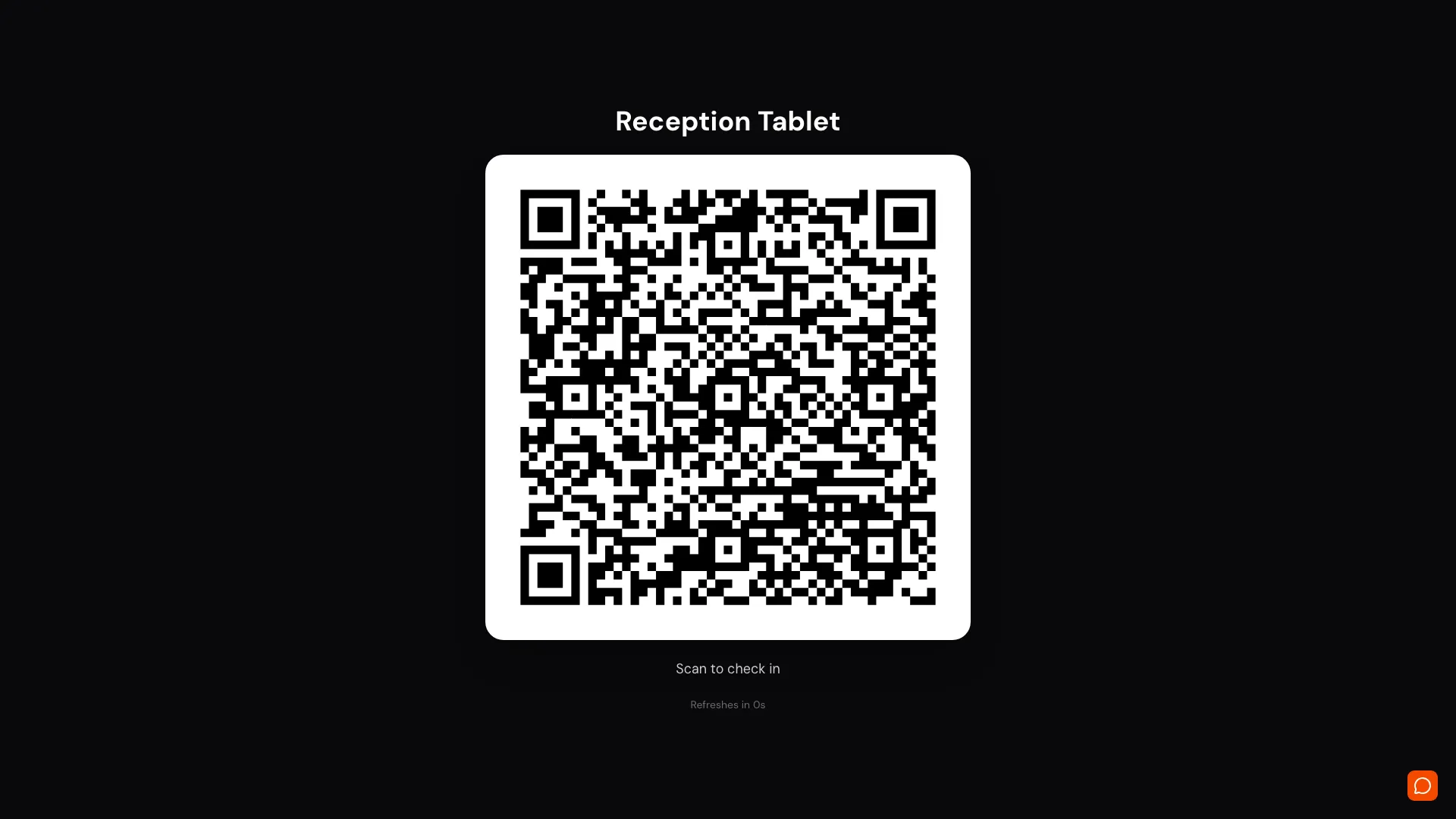
Static QR: ₹0 Setup
Print the QR from your dashboard. Stick it at the gate, the reception, or the shop-floor entrance. Employees scan with their phone camera. The browser opens, they confirm, done.
Best for: single-location offices, retail shops, small factories.
Rotating QR: Anti-Sharing
Open the station URL on any tablet or old phone you already own. The QR refreshes every few seconds. A photo of the code becomes useless the moment it's shared.
Best for: large gates, multi-entry sites, any place where photo-sharing is a risk.
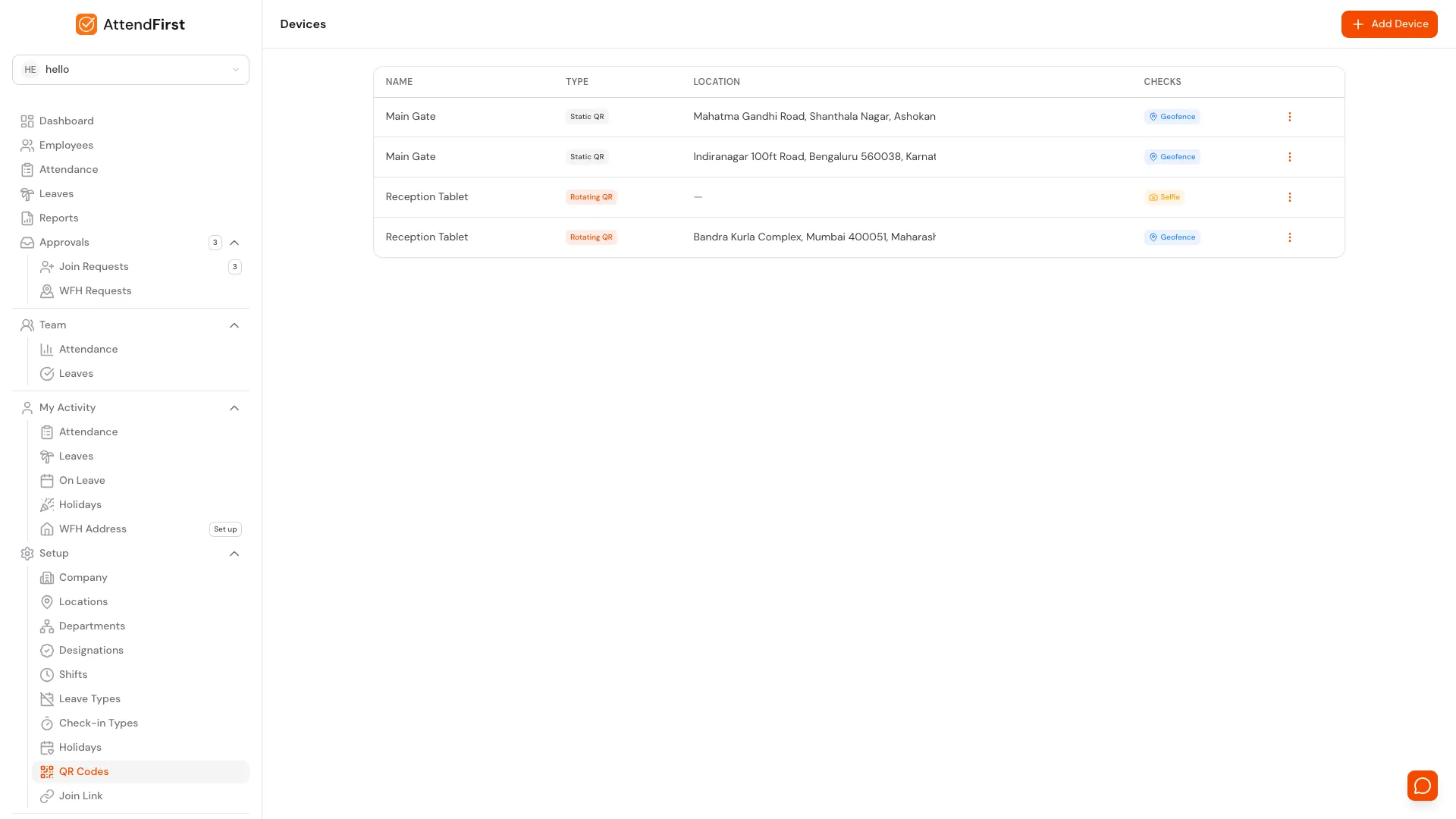
Biometric Machine vs AttendFirst Kiosk
| Cost / Capability | Biometric Machine | AttendFirst Kiosk |
|---|---|---|
| Hardware cost (per gate) | ₹8,000 - ₹25,000 | ₹0 (static) / ₹5,000 tablet |
| Installation / wiring | ₹1,500 - ₹3,000 | ₹0. Print + paste |
| Annual maintenance (AMC) | ₹1,500 - ₹3,000/yr | ₹0 |
| Works in power cut | No | Yes. Employees use their own phones |
| Works with wet / greasy / worn fingers | No | Yes |
| Multiple sites / multi-location | One machine per gate | Unlimited gates, one dashboard |
| Cloud-synced data | Add-on, often extra fee | Included |
| Anti-proxy verification | Fingerprint only | Selfie + GPS + QR (3 signals) |
| Leave, reports, notifications | Separate system | Built in |
See the full breakdown, including a migration guide: AttendFirst vs biometric attendance machine →
Print it and paste it. No hardware to buy.
Break and session tracking
Employees check in and out multiple times a day? Track every session, every break.
Multiple Sessions Per Day
Employees can check in, go for lunch, come back, step out again. Every session is tracked with timestamps.
Custom Break Types
Define your own break categories: lunch break, tea break, training, client visit. Admin controls what shows up.
Late Auto-Detection
Set a threshold (e.g., 30 minutes after shift start). Anyone who checks in late is flagged automatically. No manual checking.
Half-Day Auto-Detection
Worked less than 4 hours? Marked as half-day. Threshold is configurable per shift.
Leave sits in the same record as attendance.
Not a separate module and not a WhatsApp thread. Balances compute themselves, managers approve from their phone, and the rules already match how Indian teams work: half-days, weekly offs, gazetted and floating holidays.
Unlimited Leave Types
PL, SL, CL + create custom types. Each with its own annual quota.
Half-Day Leaves
Employees can apply for half-day. Counts as 0.5 in balance. Single-day only.
Manager Approval
Managers approve their own team's leaves. Admin can approve anyone. No bottlenecks.
Auto-Computed Balance
Balance updates automatically as leaves are approved. Pro-rated for mid-year joiners. No manual tracking.
Indian Holidays Pre-loaded
15+ gazetted holidays built in. Diwali, Holi, Pongal, automatically excluded from attendance.
Configurable Week-Off
Set Saturday+Sunday off, or any combination. Leave balance calculations respect your work week.
Leave Calendar
Month view showing who's off when. Admin sees the whole company. Employees see their own leaves and holidays.
Leave is included in every plan, including the free one
Alerts and notifications
Stop chasing people. Let AttendFirst remind them for you.
Check-in Reminders
Employees who haven't checked in by 10 AM get a push notification. You don't have to call them.
Late Alerts
Admin gets notified when someone checks in late. No need to watch the dashboard all morning.
Leave Approval Notifications
Employee applies for leave? Manager gets an email. Leave approved? Employee gets notified. No WhatsApp needed.
Holiday Reminders
Tomorrow is a holiday? Everyone gets reminded the evening before. No "Sir, is tomorrow off?" messages.
Weekly Summary
Every Monday morning, admin gets last week's attendance stats. Present count, absent count, late count. One email.
Low Leave Balance
When an employee has fewer than 2 days of leave remaining, they get a heads-up. Fewer surprise "I have no leaves left" moments.
Delivered via browser push. No SMS charges, no email spam. Works like an app without the app-store download.
Works for factories, shops, and 24x7 operations.
9-to-5 is the exception in India, not the rule. AttendFirst handles rotating shifts, split shifts, night shifts, and workers on different timings in the same company. Set each shift up once and every employee gets theirs automatically.
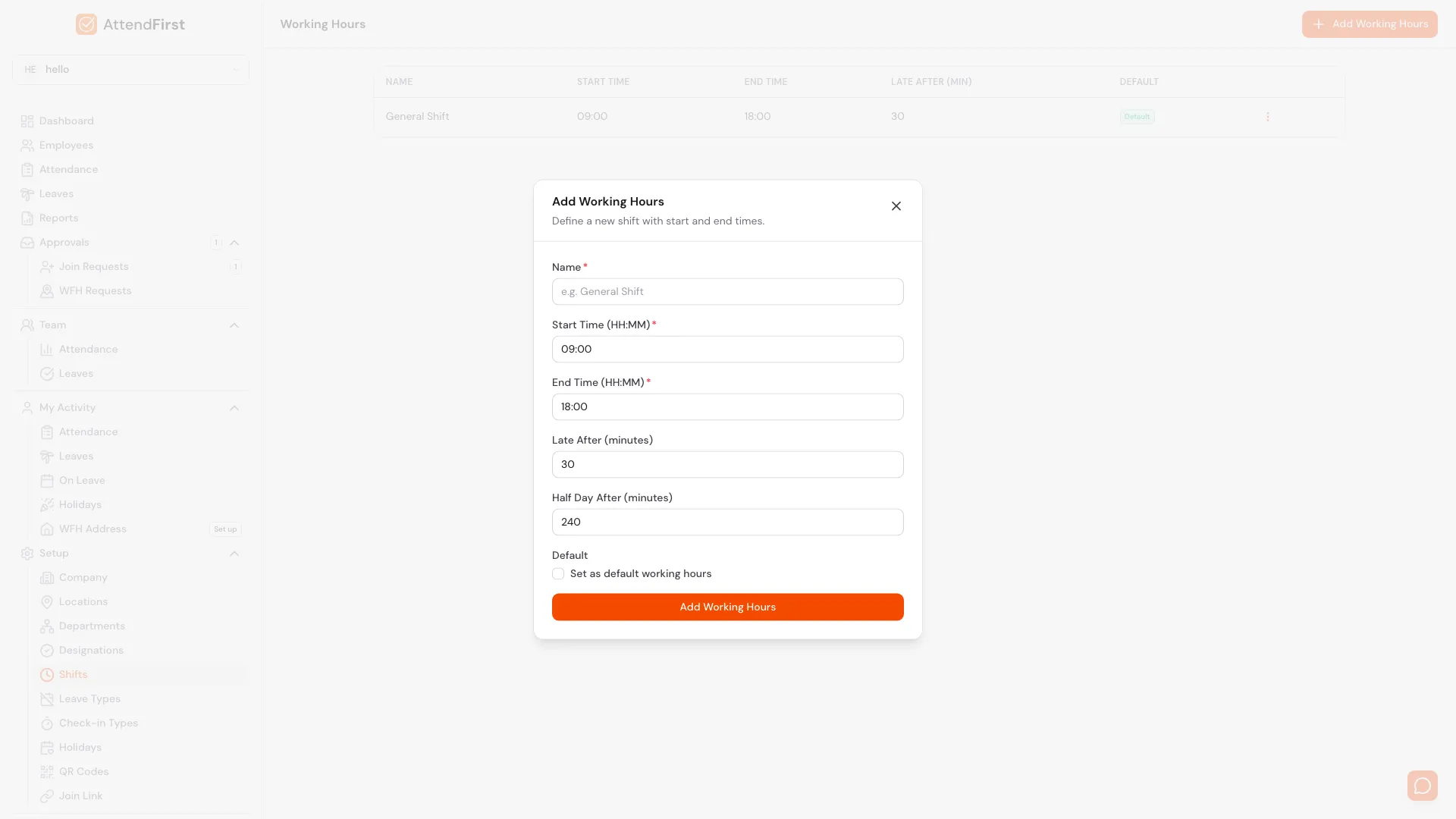
Unlimited Shifts
General shift, morning, evening, night, 8-hour, 12-hour. Create as many as you need. Name them, set start/end, and you're done.
Per-Employee Assignment
Factory workers on morning, office staff on general, security on night. Each employee has their own shift. The system knows who's late based on their shift, not a company-wide clock.
Night-Shift Aware
10 PM to 6 AM shifts don't confuse the system. Check-ins after midnight are attributed to the correct shift and the correct date.
Per-Shift Late Threshold
Morning shift is late after 9:15 AM. Night shift is late after 10:10 PM. Each shift has its own grace period. Nobody gets wrongly flagged.
Per-Shift Half-Day
An 8-hour shift counts half-day at 4 hours. A 12-hour shift counts half-day at 6. Each shift has its own half-day threshold.
Configurable Week-Off
Saturday + Sunday, Sunday only, alternate Saturdays. Whatever your company runs, the attendance and leave maths respect it.
Running a factory, warehouse, or 24x7 operation? See the factory attendance guide →
Onboard your whole team in 5 minutes.
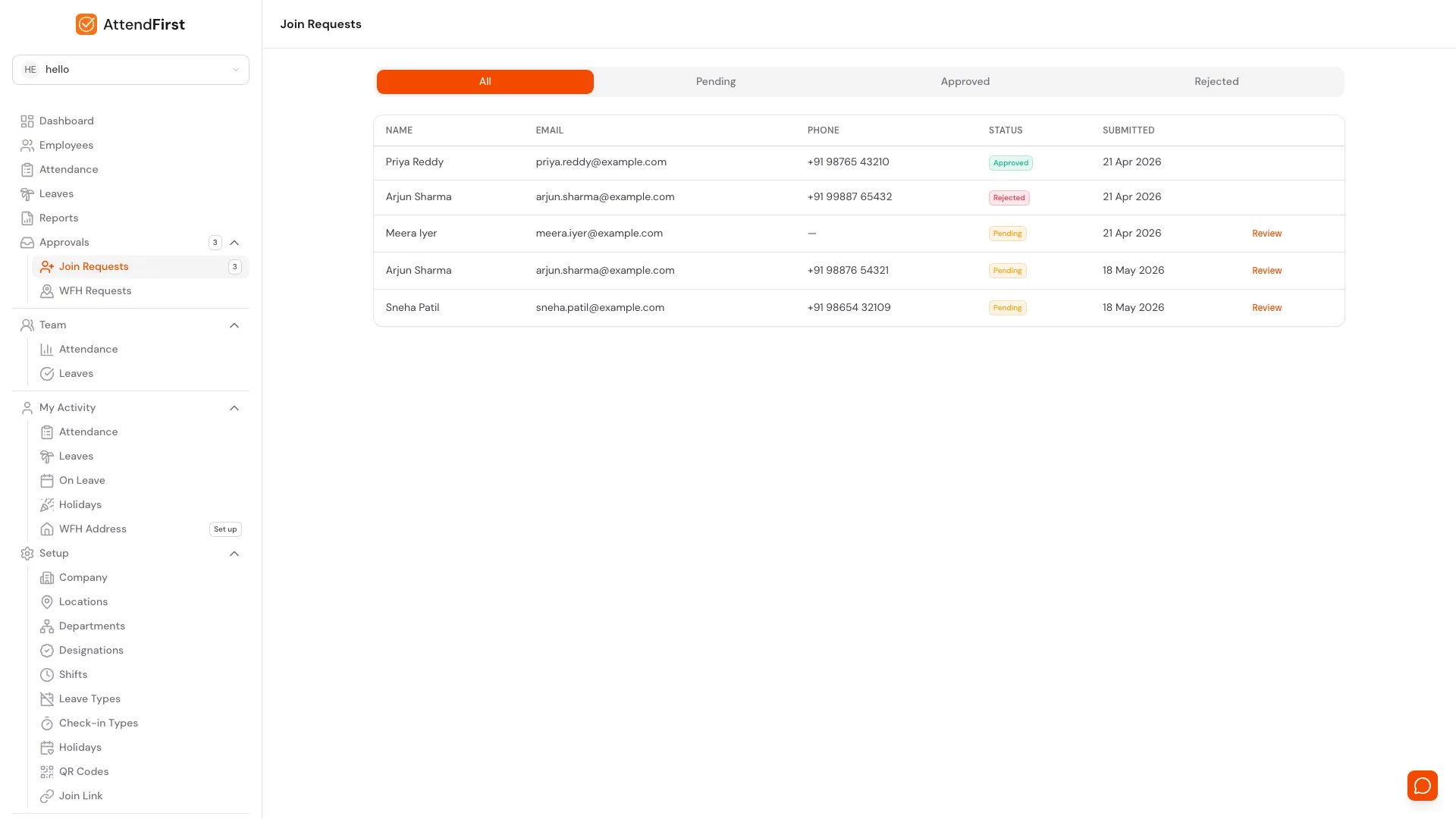
Nobody wants to type 50 names, 50 phone numbers, 50 email addresses into a form. Share one join link in your company WhatsApp group. Your team fills in their own details. You approve in a tap.
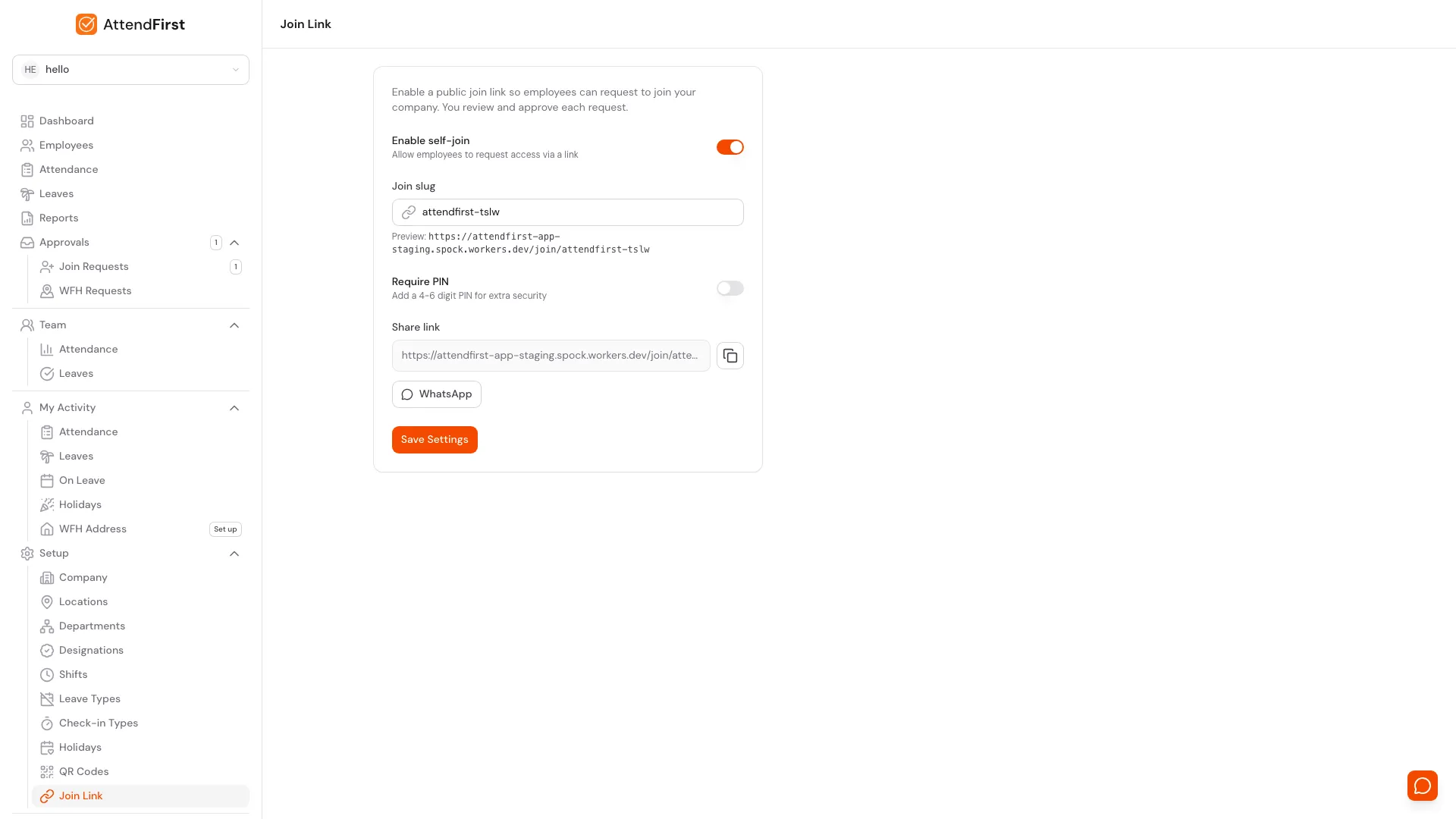
One Link, Whole Team
Enable self-join in settings. Copy the link. Paste it in your company WhatsApp. Done. Employees start signing themselves up.
Optional PIN Gate
Set a 4-digit PIN. Share it privately with your team. Anyone who finds the link on the internet can't sign up. They don't have the PIN.
Admin Approves Each Request
Employees submit their name, email, phone, department. Admin sees the request, taps Approve. Account is created, department is assigned, shift is set.
Play Store App or Any Browser
Android phones can install AttendFirst from Google Play. Any other phone opens the join link in its browser, with no download and no OS-version problems. Works on the oldest Android in your team.
How it works
- 1You turn on self-join in settings, set an optional PIN, and copy the link.
- 2You paste the link in your company WhatsApp group with one line: "Register yourselves. PIN is 1234."
- 3Employees open the link, enter the PIN, fill in name/email/phone, submit.
- 4You see join requests on the dashboard, tap Approve. Account is created, welcome email goes out.
- 5Employees start checking in the same day.
Takes 30 seconds to generate. No payment required.
Admin features that cut monthly overhead.
Small things that don't make the headline but make the difference between "we adopted it" and "we actually use it."
Manual Attendance Entry
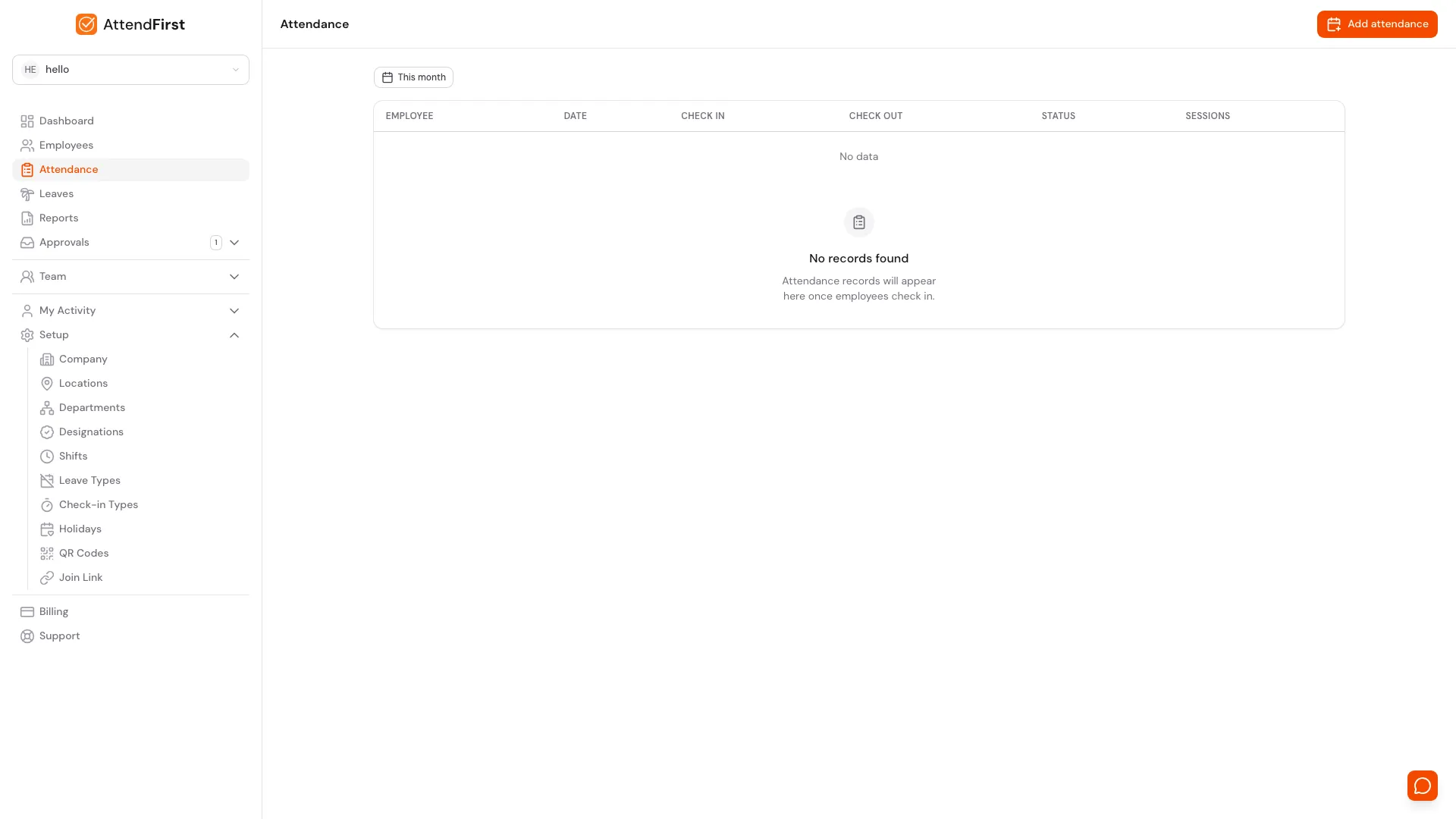
Employee's phone died. Field worker forgot to check in. Admin opens the day, picks the employee, adds a time with a reason. Takes ten seconds. Everything is logged so the audit trail stays honest.
Managers & Roles
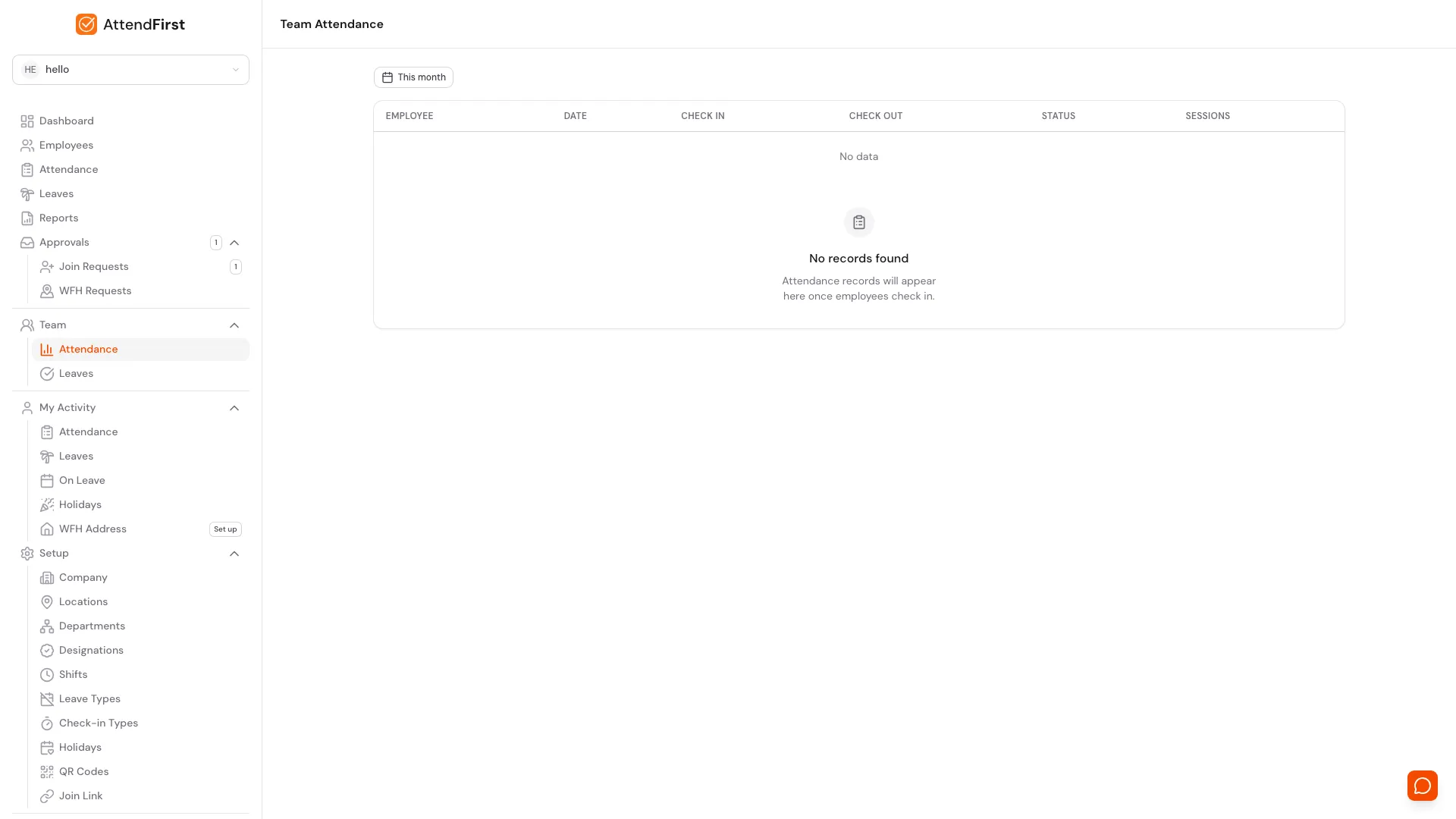
Admins see the whole company. Managers see their own team and approve their leaves. Employees see themselves. Three roles, one cleanly separated dashboard. No approval bottlenecks at the boss's inbox.
Field & Site Sessions
Sales team on client visit. Engineer on site install. Trainer at an off-site workshop. Each becomes its own session type, tagged with GPS, timed, and visible on the activity log. Real work, real proof.
Reports & Export
No more counting register entries at month-end.
Learn more: Daily attendance reports | Digital attendance register
Daily Attendance Report
Who's present, absent, late, on leave. Auto-generated every day.
Monthly Summary
Total days present, absent, late, leave taken. Per employee, per month.
Excel Export
One-click CSV export. Send to your CA or import to any payroll software.
Set up in 5 minutes
Sign up with email and company name
No payment required. Takes 30 seconds.
Add your employees
Add employees manually, or share a join link and let them register themselves. 2 minutes for a 10-person team.
Share the link. Employees start checking in
No app download needed. Employees open the link in their browser, check in with GPS/selfie/QR. Done.
Put both in one record
Attendance and leave, on Indian rules, in 5 minutes. No payment required to start.