Daily Attendance: Free Sheet Templates, Format & Reports
Arjun researches attendance, leave, and workforce trends for Indian small businesses. He writes data-driven comparisons and guides.
TL;DR: Daily attendance is the day-by-day record of who came to work, when they came in, and when they left. This page has free daily attendance sheet templates (Excel + PDF), the standard register format Indian businesses use, and the automated alternative - an app that generates the daily report so nobody compiles it by hand.
Daily attendance is the base record every other HR number depends on: salary days, leave balances, overtime, and attendance percentage all start from who was present today. Indian businesses keep this record three ways - an attendance register, an Excel sheet, or an attendance app. This guide covers all three, with ready templates you can use today.
Download: free daily attendance sheet templates
Both templates follow the format most Indian businesses already keep - one page per day, one row per employee, with in/out times, status, and signature columns. No email required, no watermarks.
| Template | Best for | Download |
|---|---|---|
| Daily attendance sheet (Excel) | Typing entries daily, digital records | Download .xlsx |
| Daily attendance sheet (PDF) | Printing and signing on paper | Download .pdf |
If you need a monthly grid instead (one row per employee, one column per day), use the monthly attendance sheet template. For construction sites and contract labour, use the muster roll format.
Daily attendance sheet format
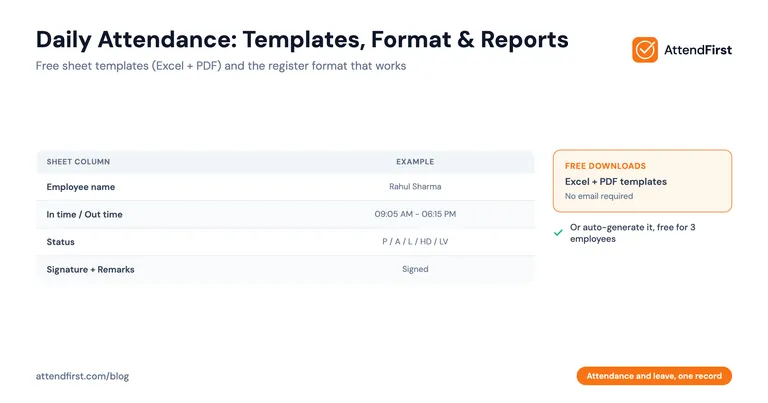
The format that works for Indian SMBs has eight columns:
| Column | What goes in it |
|---|---|
| Sl No | Serial number |
| Employee name | Full name as per records |
| Department | Sales, Admin, Production, etc. |
| In time | Actual arrival time |
| Out time | Actual leaving time |
| Status | P / A / L / HD / LV |
| Signature | Employee signs against their row |
| Remarks | Reason for late arrival, early leaving, etc. |
The header carries three fields: establishment name, date, and shift or working hours. The footer totals the day: present, absent, late, half day, on leave.
Status codes: P = Present, A = Absent, L = Late, HD = Half day, LV = On leave, WO = Weekly off, H = Holiday. Use the same codes every day - switch them mid-month and the month-end totals stop matching.
Sheet, register, report, or app?
These four words get mixed up, but they are different things:
| Term | What it is | Where it fits |
|---|---|---|
| Daily attendance sheet | One page per day, employees sign against their name | Small teams, single location |
| Attendance register | A bound book of daily sheets, kept for years | Businesses that need paper records |
| Daily attendance report | The summary generated from the records: counts of present, absent, late | Owners and managers who want the day’s picture |
| Attendance app | Records check-ins digitally and generates sheets and reports automatically | Teams that are done with manual compiling |
The sheet and register are how you record attendance. The report is what you read. An app does both. If you are choosing between paper, Excel, and an app, the daily attendance tracking guide compares all three with cost math.
What a good daily attendance report shows
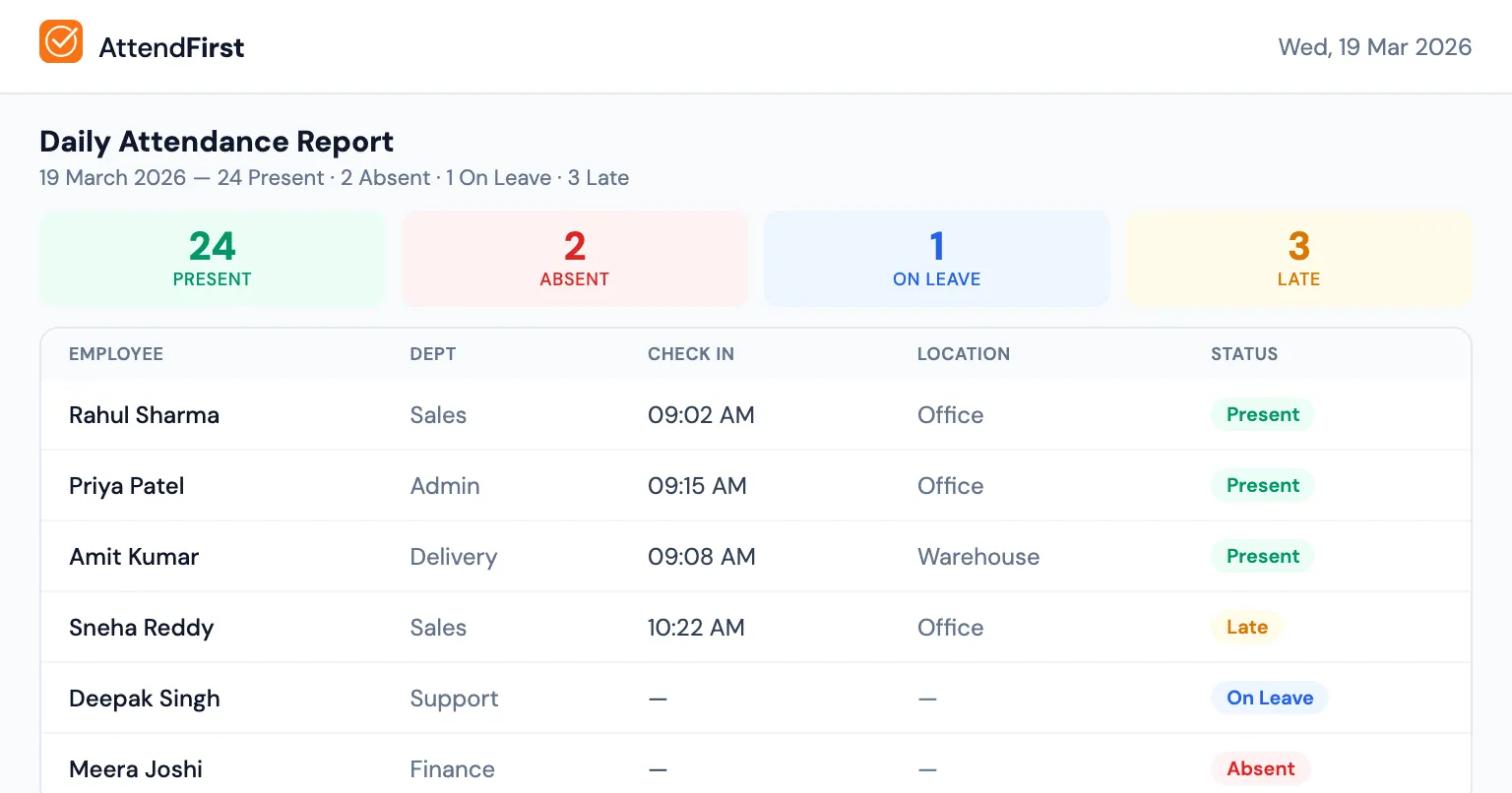
A useful daily attendance report answers five questions at a glance:
- How many employees are present today? (with names)
- Who is absent? (so you can follow up)
- Who arrived late? (with exact check-in time)
- Who is on leave? (approved, not just absent)
- Who hasn’t checked out yet? (still at work or forgot to check out)
| Employee | Department | Check In | Check Out | Status |
|---|---|---|---|---|
| Rahul Sharma | Sales | 09:05 AM | 06:15 PM | Present |
| Priya Patel | Admin | 09:30 AM | - | Present (not checked out) |
| Amit Kumar | - | - | - | Absent |
| Sneha Reddy | Sales | 10:15 AM | 06:00 PM | Late |
| Deepak Singh | - | - | - | On Leave (PL) |
Summary: 3 Present, 1 Absent, 1 On Leave, 1 Late Arrival
This takes 3 seconds to read. Compare that to flipping through an attendance book or scrolling through an Excel sheet.
How most businesses generate the report today
Method 1: Attendance register + manual count
The admin counts entries in the attendance register at end of day. Notes down who’s missing. Writes it in a separate notebook. At month-end, tallies everything in Excel. It takes hours, mistakes creep in, and there is no proof behind any entry.
Method 2: Excel sheet
Better than paper, but someone still has to enter data daily. Formulas help with counts, but late arrival tracking requires comparing check-in times against working hours manually. No real-time visibility during the day.
Method 3: Biometric machine software
Biometric devices come with basic software that generates reports. But it only covers one location (one device = one report). Multiple locations mean multiple reports to merge manually. And the software is usually clunky Windows-only applications.
How automated daily attendance works
With an attendance app, reports are generated automatically from check-in data:
- Employees check in via GPS/selfie/QR throughout the day
- The system records exact time, location, and photo
- Reports are available instantly, without manual compilation
- Daily summary emailed to the admin automatically
- Monthly reports generated with one click
Daily report features
The daily view shows present, absent, late, and on-leave counts updated throughout the day - no refresh needed. Each row shows exact check-in and check-out times from the employee’s phone, GPS location (where they checked in from), and automatic late flagging based on your configured shift hours. Filter by department to see just one team.
Monthly report features
At month-end, the monthly report calculates working days automatically (weekends and holidays are excluded from the count - the working days calculator shows how this works for your state), shows attendance percentage per employee, tallies late arrivals, and breaks down leave days by type (PL, SL, CL). Export to Excel in one click - send it directly to your CA for payroll, no reformatting needed.
The month-end problem, solved
Without automated reports, month-end looks like this:
- Open the register / Excel sheet
- Count working days (subtract weekends, holidays… which holidays? check the calendar…)
- For each employee: count present days, count late arrivals, count absences
- Cross-reference with leave requests (where were those WhatsApp messages again?)
- Calculate attendance percentage
- Type it all into a summary sheet
- Email to management
Two to three hours. Accuracy questionable.
With an attendance app:
- Open dashboard
- Click “Monthly Report”
- Click “Export to Excel”
Thirty seconds. Exact.
The system already knows working days (weekends + holidays are configured), already has check-in/check-out times, already has leave records. It just calculates.
A note on MGNREGA daily attendance
A large share of “daily attendance” searches in India relate to MGNREGA worker attendance. That system is run by the government: attendance at MGNREGA work sites is captured through the NMMS app and published on the official portal at nrega.nic.in. This page does not cover it. Everything here is for private businesses - shops, offices, factories, clinics, and construction sites tracking their own staff.
Email notifications
Good attendance software sends daily report emails automatically. You get a morning alert showing who hasn’t checked in by 10 AM, late arrival notifications as they happen, and a daily summary email at end of day. No need to open the app or check the dashboard. The report comes to your inbox.
What AttendFirst reports include
AttendFirst generates all of this automatically: daily attendance summary (present, absent, late, on leave), monthly report with working days calculated minus weekends and holidays, separate late arrivals and absentees reports, one-click Excel export for payroll, and daily email alerts for late arrivals and absences.
All of this is on every plan. Teams of 4 to 10 pay a flat ₹3,000/year, above 10 employees it is ₹499/employee/year, and up to 3 employees costs nothing.
When should you switch from the sheet to an app?
The templates above work. But if any of these are true, the sheet has become the bottleneck:
- You spend more than 30 minutes per month compiling attendance data
- You’ve had salary disputes because of unclear attendance records
- You manage employees across more than one location
- You want to know who’s at work right now, not at end of day
- Your CA keeps asking for attendance data in Excel format
The attendance register worked for decades. The problem is that a register designed for 5 people in 2005 doesn’t handle 25 people across two locations in 2026. Automated reports don’t ask you to change how you work, they just remove the manual counting.
AttendFirst includes all of this in the free plan. No payment required.
Frequently asked questions
What is daily attendance?
Daily attendance is the record of which employees were at work on a given day, with their in time, out time, and status (present, absent, late, half day, or on leave). Indian businesses keep it in an attendance register, an Excel sheet, or an attendance app. It is the base record for salary calculation, leave tracking, and labour-law compliance.
What is the format of a daily attendance sheet?
A daily attendance sheet has one row per employee and these columns: serial number, employee name, department, in time, out time, status, signature, and remarks. The header carries the establishment name, date, and shift. A summary line at the bottom totals present, absent, late, half day, and on leave. You can download this exact format free as Excel or PDF from this page.
What is a daily attendance report?
A daily attendance report is a summary generated each day showing which employees are present, absent, late, or on leave, usually with check-in and check-out times. Indian businesses use it to track same-day workforce status, trigger follow-ups on absences, and feed month-end payroll. Automated reports generated from GPS and selfie check-in data remove the 2-3 hours per month owners typically spend compiling these by hand.
How do I create a daily attendance sheet in Excel?
Make a header row with Sl No, Employee Name, Department, In Time, Out Time, Status, Signature, and Remarks. Add one row per employee, and a summary row at the bottom with COUNTIF totals for each status code (P, A, L, HD, LV). Print one sheet per day, or duplicate the tab for each working day. The free Excel template on this page has all of this set up already.
What is the difference between a daily attendance sheet and a muster roll?
A daily attendance sheet covers one day per page with in/out times and signatures. A muster roll is a monthly grid, one row per worker and one column per day, required in formats prescribed under labour laws for factories, construction sites, and contractors. Offices typically use daily sheets or apps; sites with contract labour maintain a muster roll.
How do you create a daily attendance report automatically?
Use an attendance app where employees check in via GPS, selfie, or QR code - the app then compiles the daily report from check-in data with zero manual entry. With AttendFirst, the admin opens the dashboard to see present/absent/late/on-leave counts updated in real time, receives a daily summary email at end-of-day, and exports a monthly report to Excel with one click for payroll processing.
Is this page about MGNREGA daily attendance?
No. MGNREGA worker attendance is recorded by the government through the NMMS app and published on the official MGNREGA portal (nrega.nic.in). This page covers daily attendance for private businesses - shops, offices, factories, and sites. If you searched for MGNREGA muster roll or NMMS attendance, use the government portal.
Can I export the daily attendance report to Excel for payroll?
Yes. AttendFirst generates a monthly report with working-day calculation (weekends and holidays excluded automatically), attendance percentage per employee, late-arrival count, and leave days breakdown, all exportable to Excel with one click. Hand the file to your CA or payroll person - no typing, no formulas to fix, no disputes about what the report says.
Get attendance tips for Indian businesses
One practical guide per week. No spam.
Put attendance and leave in one record
Indian holidays and weekly offs come already loaded. Setup takes 5 minutes, and no payment is required to start.