A Hajri App for Your Shop.
Staff Mark Hajri on Their Phone.
AttendFirst is a hajri app (some people write hazri or hajiri) that replaces the register on your counter. Each person checks in from their own phone with GPS and an optional selfie. You read the day's hajri on yours.
Leave requests sit in the same record, so you do not argue over a day off at month-end. Indian holidays and weekly offs are already set up.
From the hajri register to the app
The register works until someone disputes a salary. Then you have a signature and your memory to go on. The table shows what the app records in place of the book.
| Hajri register book | AttendFirst hajri app | |
|---|---|---|
| Who writes the entry | Staff sign the book, or you write it | Staff tap Check In on their own phone |
| Proof of who was there | A signature anyone can copy | Own login, plus a selfie if you turn it on |
| Proof of where | None | GPS location saved with every check-in |
| Month-end totals | You count the book by hand | Daily and monthly reports add it up for you |
| Leave | A separate notebook or a WhatsApp message | Requested, approved, and counted in the same record |
| A torn or lost page | The days are gone | Records stay on the server |
For a longer look at the switch, read the attendance register app guide. If you also keep a muster roll, see the muster roll format and what the labour codes changed for attendance registers.
How to move your hajri to the app
- Step 1
Create your account
Sign up on your phone or laptop. Enter the shop name and the days your shop is open. No payment is required to start.
- Step 2
Share the join link on WhatsApp
AttendFirst gives you one link. Send it to your staff group. Each person fills in a short form with their name and email. Phone number is optional.
- Step 3
Approve your staff
You see each request on your phone, pick the shop location, and tap Approve. AttendFirst creates the account and emails the person a one-time password.
- Step 4
Keep the register book for the first week
Write in the book and mark hajri on the app, side by side. Compare the two on Saturday. When they match, put the book away.
GPS and selfie proof on every hajri
When a person taps Check In, the app saves the time and the GPS location. If you turn on the selfie, it also saves a photo taken at that moment. You see the time, the location, and the photo next to each name.
If you mark the shop location on a map, a check-in from outside it is flagged for you to review.
If a person misses a check-in, you can add that day yourself from the admin screen.
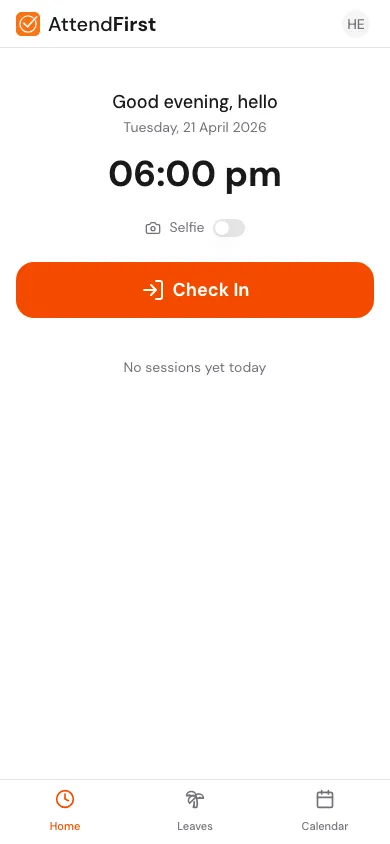
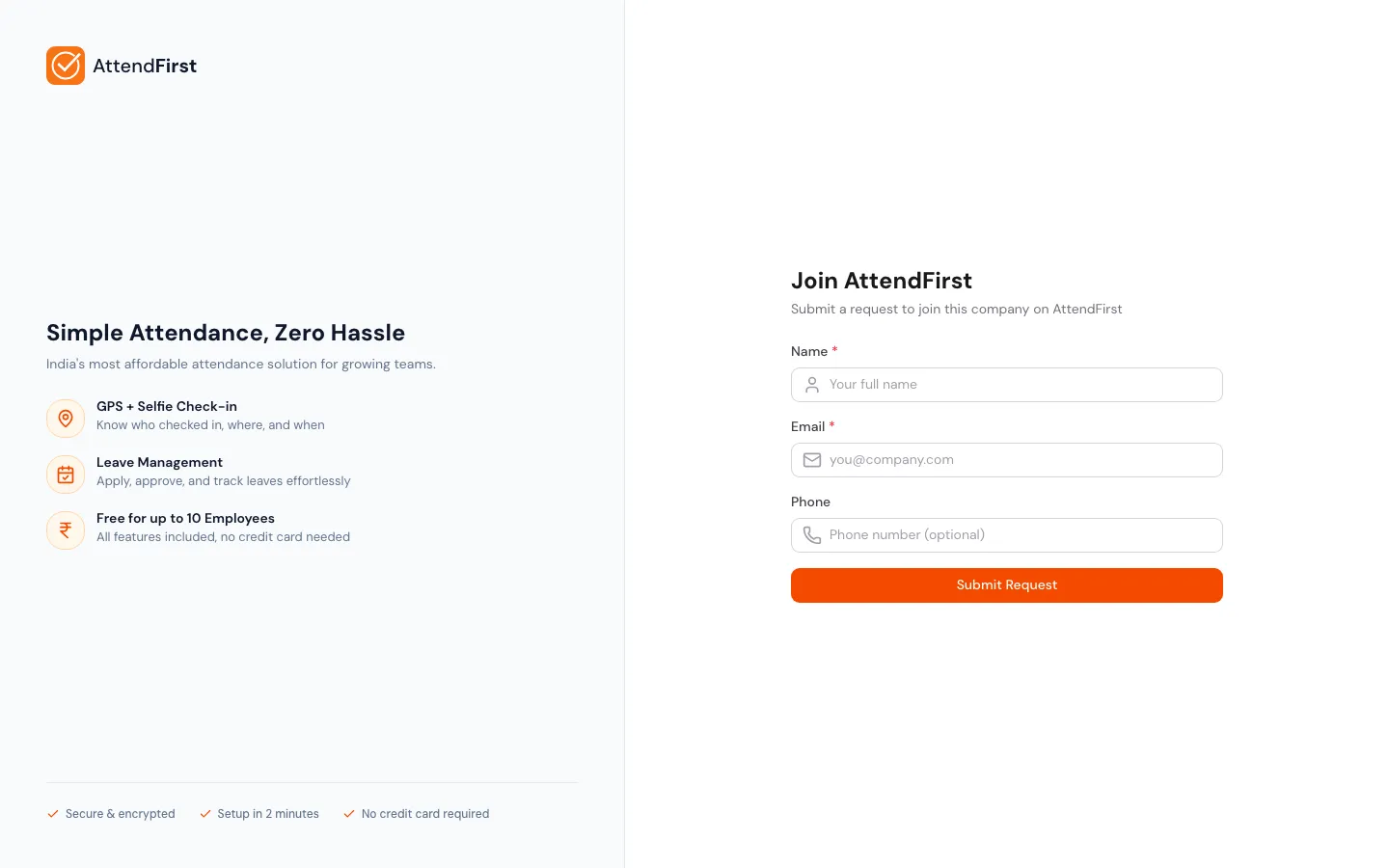
How your staff join
You share one link. Staff open it, fill in the form, and wait for your approval. If you want, add a PIN so only people you tell can send a request. After you approve, AttendFirst emails the login and the person can mark hajri the same day. The join link asks for an email address. For staff who have only a mobile number, add them yourself on the Employees page: you see their password once to pass on, and they sign in with their mobile number.
Nobody has to install anything. The link and the check-in screen both open in the phone browser. Android users can also install the app from Google Play.
Read the self-join guide →What the hajri app costs
Teams of 4 to 10 pay a flat ₹3,000/year. From the 11th employee, ₹499 per employee per year. Up to 3 employees is free, forever.
Every feature is on every plan, including the free one, and the free plan has no time limit. No payment required to start.
See full pricing →Get the hajri app on Android
Install AttendFirst from Google Play. On iPhone, open app.attendfirst.com in Safari and choose Add to Home Screen. The install guide has the steps.
Get it on Google PlayWho this hajri app fits
- Your staff carry their own phones. Each person marks hajri on their phone, so you need no machine at the door.
- Your register book is getting hard to keep: more staff, a second shift, or leave you want to see next to attendance.
Hajri app FAQs
What is a hajri app?+
A hajri app replaces the hajri register book. Each staff member marks hajri on their own phone, and the app records the time and the GPS location. You can also turn on a selfie. You read the day's hajri on your phone or laptop instead of opening a book. Hajri is also spelled hazri or hajiri.
Is there a free hajri app for a small shop?+
Yes. Every feature is on the free plan, and the only limit is team size. Teams of 4 to 10 pay a flat ₹3,000/year. From the 11th employee, ₹499 per employee per year. Up to 3 employees is free, forever. No payment is required to start.
Do my staff need to install the app to mark hajri?+
No. Staff can open AttendFirst in the phone browser. On Android they can also install the app from Google Play. On iPhone they add it to the home screen from Safari. All three open the same check-in screen.
Can a staff member mark hajri for a friend?+
Each person has their own login, so a friend has to use that person's phone and login. The GPS location and the selfie are saved with every check-in, so you can see where the check-in happened and who is in the photo. If you set the shop location, a check-in from outside it is flagged for you to review.
Can I calculate salary from the hajri?+
You can export the month's hajri as a CSV file that opens in Excel. Give it to your accountant or use it in your own salary sheet.
What if some of my staff do not have a smartphone?+
Put a tablet or a printed QR code at the shop door. Staff scan the code with any phone. For a person with no phone at all, you can add their hajri yourself from the admin screen.
Mark tomorrow's hajri on the app
Set up your shop, send the join link, and keep the register book beside it for the first week. No payment required to start.