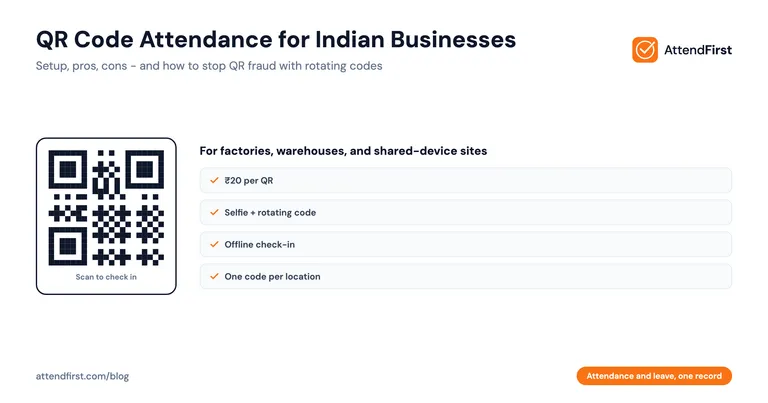
QR Code Attendance India: Setup Guide, Pros and Cons (2026)
Ravi works on attendance and workforce tools for Indian SMBs at AttendFirst.
QR code attendance is the fastest way for a team of 20-100 to check in at a fixed location. Print one code, stick it at the entrance, and employees scan it to log attendance in under 2 seconds.
- Works best for factories, warehouses, construction sites, and single-location shops.
- Cheapest method to set up: ₹20 for a printout.
- Weakest on buddy punching unless paired with a selfie.
A factory owner in Coimbatore asked me last month why his biometric machine keeps breaking. His workers have calloused hands from metal work. The fingerprint sensor fails 40% of the time. He spends 15 minutes every morning manually logging failed scans.
I told him to try QR code attendance. He set it up in 20 minutes. A week later he said it was the first time in three years his morning queue cleared by 9:05.
This post explains what QR code attendance is, how it works, where it wins, where it fails, and how to set it up in India.
What is QR Code Attendance?
QR code attendance is a check-in method where the employer prints a QR code and sticks it at the workplace. Employees open an attendance app on their phone, scan the code, and the app logs their attendance with a timestamp.
That’s the entire concept. The QR code is just a shortcut the app reads to know “this person is at this location right now.”
Some apps make the code time-limited so it changes every few minutes, which means a photo of the code can’t be reused. Others pair it with a selfie to prove the actual person was there.
In India, QR code attendance has grown fast. Every worker already knows how to scan a QR code from UPI payments. It costs ₹20 to set up - just print a page. And it handles workers with rough hands far better than fingerprint scanners.
How QR Code Attendance Works: Step by Step
Here’s the flow, start to finish.
Step 1: The employer generates a QR code in the attendance app. This is a one-click step. The app creates a code unique to your business and that location.
Step 2: The employer prints the QR code and mounts it at the entrance. A4 size works. Laminate it so it survives rain and dust.
Step 3: An employee arrives at work. They pull out their phone and open the attendance app (the same one the employer uses).
Step 4: The employee taps “Check In” and scans the code. The app reads the code, verifies it matches their workplace, and logs the timestamp.
Step 5 (optional): The app captures a selfie at scan time. This is the buddy-punching prevention step. Without it, one person could scan the code for 10 friends.
Step 6: The employee sees a confirmation. “Checked in at 9:02 AM.” Done. Total time: about 2 seconds.
Step 7: The same flow for check-out. At the end of the shift, scan the code again. The app logs the exit time.
Step 8: The employer views attendance in the dashboard. All scans show up in real time. Late, absent, present. Exportable to Excel for payroll.
QR Code Attendance vs Other Methods
How does it stack up?
| Method | Speed | Buddy Punching | Cost to Set Up | Works for Field Staff | Needs Smartphone |
|---|---|---|---|---|---|
| QR code | 2 seconds | Possible (pair with selfie) | ₹20 | No | Yes |
| Selfie | 5 seconds | Very hard | ₹0 | Yes | Yes |
| GPS | 3 seconds | Medium | ₹0 | Yes | Yes |
| Biometric | 3-5 seconds | Very hard | ₹15,000-40,000 | No | No |
| Paper | 10 seconds | Easy | ₹100 | Partial | No |
QR code beats everything on speed and setup cost. It loses on buddy punching unless paired with a selfie. It loses on field staff because the code is tied to a location.
For our full method comparison, see the daily attendance tracking guide for Indian businesses.
Pros of QR Code Attendance
1. Fastest check-in method. Two seconds per person. A 50-person factory clears the morning queue in under two minutes.
2. Cheapest to set up. ₹20 for a laminated printout. Compare this to ₹25,000 for a fingerprint device.
3. No hardware to break. Biometric machines fail. QR codes on paper do not. If the paper tears, print another.
4. Works in bad signal areas. The phone doesn’t need GPS or strong internet at scan time. The scan is processed locally, and synced later when signal returns.
5. Workers already know how to use it. Every Indian with UPI has scanned hundreds of QR codes. No training needed on the scanning step.
6. Works for workers with calloused or damaged fingers. For manual laborers, factory workers, and construction workers, fingerprint scanners fail for 20-40% of them. QR code works for everyone with a phone.
7. Cleaner during illness. Nobody touches a shared device. Post-COVID, this still matters.
Cons of QR Code Attendance
1. Vulnerable to buddy punching without a selfie. If the code doesn’t change and the app doesn’t capture a selfie, one employee can photograph the code and send it to friends who scan from home. Pair QR with selfie to kill this.
2. Tied to a fixed location. Field staff and delivery workers can’t use a QR code mounted at the office. Use GPS check-in for them.
3. Phones need battery. Workers with dead phones can’t check in. Keep a backup manual log at the gate.
4. The code can be photographed and leaked. Treat the code like a password. If it leaks, regenerate it. Good apps rotate the code daily or hourly.
5. Bad lighting or damaged codes fail to scan. A faded printout in dim light won’t scan. Reprint monthly.
6. Doesn’t prove where the employee actually is. Unless paired with GPS, a scan only proves someone scanned the code, not that they were at the workplace.
Best Use Cases in India
QR code attendance fits specific situations. Here are the ones where it wins.
Factories and Manufacturing Units
A single gate, hundreds of workers arriving in a short window. QR code at the gate clears the morning rush without a biometric bottleneck.
Why it wins: Speed. Workers scan and walk in. Foremen see the dashboard in real time.
Warehouses and Logistics
Shift workers clocking in and out at the same loading bay. Pair QR with selfie to prevent buddy punching.
Why it wins: No hardware to install, works in bad wifi, fast enough for shift changes.
Construction Sites
Multiple sites, each with its own QR code. Workers move between sites and scan wherever they are assigned.
Why it wins: Cheap to scale. Print a new code for every site. Works where biometric devices can’t be installed due to dust and weather.
Single-Location Retail Shops
Shops with 5-30 employees and one entrance. QR code at the back office.
Why it wins: Cheaper than biometric, faster than paper, easier than Excel. Employees check in, owner gets a dashboard.
Events and Temporary Workforce
Conferences, weddings, exhibitions with temporary staff. Print a code, hand staff the app link, done.
Why it wins: Zero setup cost. Throw the code away when the event ends.
Schools and Tuition Centers
Staff attendance at the staff room door. Fast enough that teachers scan between periods.
Why it wins: Teachers have phones, speed matters, and biometric machines are expensive for schools.
Put attendance and leave in one record → QR code, selfie, and GPS check-in included. No payment required.
Setup Guide: QR Code Attendance in Under 30 Minutes
Here’s exactly how to set it up.
Step 1: Pick an app that supports QR check-in
Most modern attendance apps in India support QR. AttendFirst, Keka, and a few others. Check that the app also supports selfie at scan time. You want both.
Step 2: Create your company and add employees
Enter name, phone, and department for each employee. Most apps let you bulk import from Excel. Budget 10 minutes for 25 employees.
Step 3: Generate the QR code
In the app dashboard, go to the QR check-in section. Click “Generate code.” The app creates a code for your workplace.
Step 4: Print and laminate
Print the code on A4. Make it big, at least 10cm x 10cm. Laminate the printout so it survives rain, dust, and finger smudges.
Step 5: Mount the code at the entrance
Eye level. Good lighting. Inside the building if possible, so rain doesn’t fade it. If you have multiple entrances, print multiple copies with the same code.
Step 6: Train employees in 10 minutes
Show them:
- Download the app from Google Play (or open the link in the phone browser).
- Log in with their phone number.
- Tap “Check In” and scan the code.
- Take the selfie when prompted.
- Repeat at end of shift.
That’s the entire training. Most employees get it in 2 minutes because they’ve scanned QR codes for UPI payments a thousand times.
Step 7: Set a rule: no scan = no attendance
This is the only hard rule. If the system doesn’t log you, you’re absent. No exceptions made on paper. Exceptions make the system worthless.
Step 8: Run a week in parallel with your current system
Keep the register or old system running for a week. After a week, stop paper and go fully digital.
Common Mistakes with QR Code Attendance
I’ve seen all of these. Don’t make them.
1. Printing one QR code and never changing it. Leaked codes get shared on WhatsApp. Rotate the code weekly or use an app that auto-rotates.
2. Not pairing with selfie. QR code alone = buddy punching. Always pair with selfie.
3. Mounting the code outside in the sun. Printer ink fades. Rain destroys paper. Mount inside a dry, lit area.
4. Using a QR code for field staff. Field staff move. Use GPS check-in for them. QR is for fixed locations only.
5. Making the code too small. A tiny code doesn’t scan from 30cm away. Print it big, 10cm minimum.
6. Not keeping a backup log for dead phones. Some employee’s battery will die on day 3. Keep a paper backup at the gate for these edge cases. Reconcile at end of week.
7. Not explaining to employees why you’re switching. Workers who think you’re spying on them will resist. Explain: the app saves payroll disputes, it’s faster than signing a register, and their attendance history is theirs to see.
Our Take
QR code attendance isn’t the best method for every business. It’s the best method for some businesses: fixed-location teams of 20-100 people where speed matters more than anything else.
For a factory with 80 workers arriving at 8 AM, QR beats biometric on speed, cost, and reliability. For a field sales team of 15, QR is useless. Use GPS.
Most apps that sell QR attendance charge extra for it. That’s wrong. QR check-in should be free because it costs the app nothing to support.
We built AttendFirst with QR, selfie, and GPS all included in the free plan (up to 3 employees). After that, it’s ₹3,000/year for teams of 4-10 and ₹499/employee/year above 10, with everything still included. No “QR add-on” pricing.
Disclosure: We built AttendFirst. We’ve tried to be fair. QR code attendance works well from other vendors too. If their pricing is right for you, use them.
FAQ
Is QR code attendance safe for Indian businesses?
Yes, if you follow two rules. First, pair QR with selfie to prevent buddy punching. Second, rotate the code at least weekly so leaked codes become useless. Under the DPDP Act 2023, you need employee consent to store selfies and timestamps. A one-line clause in the joining letter handles this. QR code attendance is legally accepted in India and holds up in labor disputes as long as timestamps are tamper-proof.
Can employees cheat QR code attendance?
Without a selfie, yes. They can photograph the code and scan it from home. With a selfie and rotating codes, cheating becomes very hard. Selfie proves the actual person was present. Rotating codes means a photographed code stops working within hours. In practice, QR + selfie is harder to cheat than registers and roughly equal to biometric devices for buddy-punching prevention.
How much does QR code attendance cost in India?
The QR code itself costs Rs.20 for a laminated printout. The app costs vary: AttendFirst is free for up to 3 employees, ₹3,000/year for 4-10, and ₹499/year per employee above 10. Keka charges Rs.99/employee/month, and many legacy HR tools charge Rs.50-100/user/month for QR as an add-on. For a 25-person team, expect ₹10,485-Rs.30,000/year depending on the app. QR check-in is the cheapest method to deploy but the app price drives total cost.
Does QR code attendance work without internet?
Mostly yes. The scan is processed on the phone. The attendance record is stored locally and synced to the server when internet returns. This matters for factories with bad wifi and construction sites with spotty 4G. Not every app supports offline mode. Check before buying if this matters to you.
What size should the QR code be?
At least 10cm x 10cm for scanning from 30-60cm away. Larger is better. Print on A4 with the code taking up at least half the page. Laminate the print. A faded or damaged code takes 4-5 tries to scan, which adds up across 50 employees.
Can one QR code work for multiple locations?
No, you should use one code per location. This way the app knows which location the employee scanned from. If you use the same code at all locations, you lose location data and daily attendance reports won’t show where each person was. Generate a fresh code for each site and label them clearly.
QR code or biometric: which is better for an Indian factory?
QR code, for most factories. Biometric sensors fail for workers with calloused or damaged fingers, which is 20-40% of manual labor workforce. QR works for everyone with a phone, which is now over 90% of Indian factory workers in 2026. Biometric still wins in extreme security settings or where workers don’t carry phones, but for standard factories, QR + selfie costs less, breaks less, and scales better.
Put attendance and leave in one record → QR code check-in, selfie verification, and GPS all included. Set up in 20 minutes.
Ravi Shankar runs product at AttendFirst. He’s spent the last year helping Indian factory owners, shop owners, and contractors move off paper and biometric machines. He picks methods based on what works in practice, not what looks good in a demo.
Frequently asked questions
Is QR code attendance safe for Indian businesses?
Yes, if you follow two rules. First, pair QR with selfie to prevent buddy punching. Second, rotate the code at least weekly so leaked codes become useless. Under the DPDP Act 2023, get employee consent to store selfies and timestamps. Legally accepted and holds up in labour disputes.
Can employees cheat QR code attendance?
Without a selfie, yes - they can photograph the code and scan it from home. With a selfie and rotating codes, cheating becomes very hard. Selfie proves the actual person was present. Rotating codes means a leaked code stops working within hours. In practice QR + selfie is harder to cheat than a register.
How much does QR code attendance cost in India?
The QR code itself costs Rs.20 for a laminated printout. AttendFirst is free for up to 3 employees, ₹3,000/year for 4-10, and ₹499/year per employee above 10. Keka charges Rs.99/employee/month. Legacy HR tools charge Rs.50-100/user/month for QR as an add-on. For a 25-person team, expect ₹10,485-Rs.30,000/year total.
Does QR code attendance work without internet?
Mostly yes. The scan is processed on the phone and the record is stored locally, syncing when internet returns. This matters for factories with bad WiFi and construction sites with spotty 4G. Not every app supports offline mode - confirm before buying if this matters.
Can one QR code work for multiple locations?
No, use one code per location. This way the app knows which location the employee scanned from. Reusing the same code everywhere loses location data and makes reports ambiguous. Generate a fresh code for each site and label them clearly.
QR code or biometric: which is better for an Indian factory?
QR code for most factories. Fingerprint sensors fail for 20-40% of manual labour workforce with calloused hands. QR works for anyone with a phone (over 90% of Indian factory workers in 2026). Biometric still wins in extreme-security settings, but for standard factories QR + selfie costs less, breaks less, and scales better.
Get attendance tips for Indian businesses
One practical guide per week. No spam.
Put attendance and leave in one record
Indian holidays and weekly offs come already loaded. Setup takes 5 minutes, and no payment is required to start.