Leave Management Software for Indian SMBs: Free Options
Payal focuses on leave management and compliance workflows for Indian businesses.
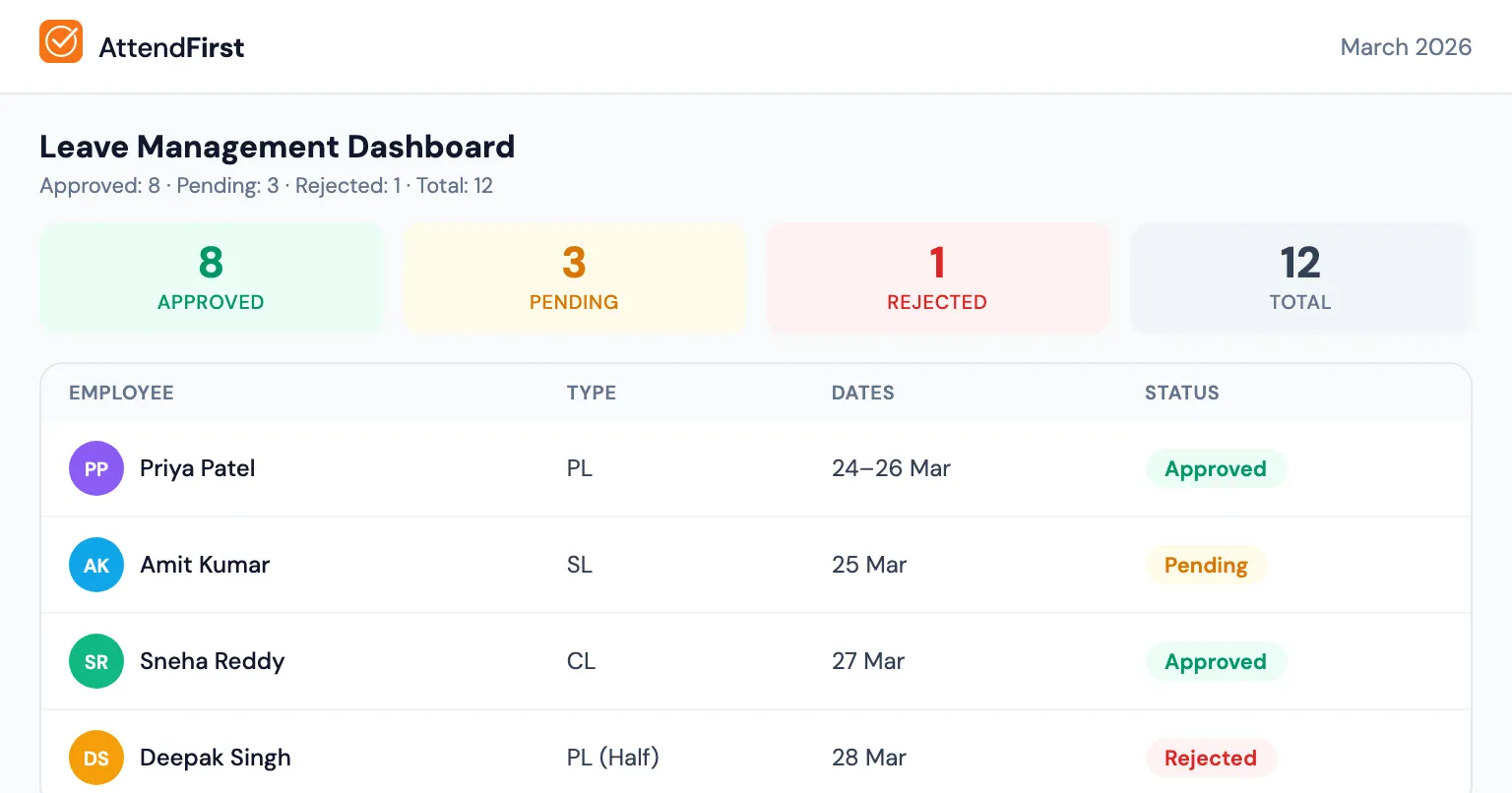
Leave management software automates PL/SL/CL tracking, manager approval workflows, half-day leave support, and balance computation, replacing WhatsApp messages and Excel files. Free options like AttendFirst (free for up to 3 employees) handle unlimited leave types with auto-computed balance and pro-rated quotas for mid-year joiners.
Most Indian SMBs still track leave on WhatsApp or verbally. The result: disputes at salary time, no audit trail, and guesswork instead of data.
How most Indian SMBs track leave today
Method 1: WhatsApp messages
Employee sends a message to their manager or HR person. “I need CL on Friday.” Manager replies “OK.” No record, no balance tracking, no history. At month-end or year-end, it’s a guessing game. Messages get buried, group chats make it worse, and nobody remembers who approved what.
Method 2: Verbal requests
Employee tells the manager in person. Manager says OK (or no). Nothing written down. Complete chaos at salary time. “I told you I was taking leave!” vs “You never told me.” With nothing in writing, that argument goes nowhere.
Method 3: Excel sheet
HR maintains an Excel tracker. Employees email their leave requests. HR updates the sheet manually. Balance is calculated with formulas that break regularly. Manual entry errors creep in, rows being added break the formulas, multiple people editing creates version conflicts, and there’s no approval workflow - just email replies that may or may not be read.
Method 4: Register or notebook
Some offices have a “leave register”: a physical notebook where employees write their leave requests. Better than WhatsApp, but still manual, still error-prone, and the notebook can walk out the door.
What good leave management looks like
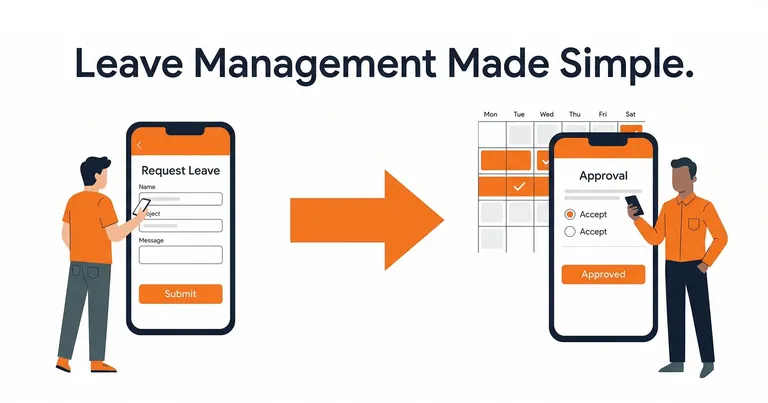
A proper leave management system handles the entire flow:
- The employee selects leave type (PL, SL, CL, or custom), picks start and end dates, optionally marks it as half-day (morning or afternoon), adds a reason, and sees their remaining balance before submitting.
- The manager gets a push notification or email: “Rahul requested 2 days PL (March 20-21).” They see the request with the employee’s current balance and approve or reject with one tap.
- From there the system takes over: balance updated, attendance marked as “on leave” for those dates, working days calculated correctly (weekends and holidays excluded), employee notified of the decision.
You stop chasing WhatsApp messages and Excel formulas - everything is tracked automatically from the moment the employee hits submit.
Features that separate good leave software from bad
Configurable leave types
Every Indian company handles leave differently. Some give 12 PL + 12 SL + 12 CL. Others give 15 PL + 7 SL + 6 CL. Some have “birthday leave” or “marriage leave.”
Good leave management software lets you create custom leave types with custom quotas, not limited to one rule (like Kredily’s free plan).
Half-day leaves
Doctor visit in the morning. Kid’s school event in the afternoon. Indian employees regularly need half-day leave. The system should track these as 0.5 days, not a full day.
Pro-rated balance for mid-year joiners
An employee who joins in July shouldn’t get the full 12 days of PL for the year. The system should automatically calculate: ceil(12 x 6/12) = 6 days for the remaining months.
Working day calculation
When an employee takes leave from Monday to Saturday, how many leave days is that? If your company has a 5-day work week (Mon-Fri), it’s 5 days. If 6-day week (Mon-Sat), it’s 6 days. And any holidays in between should be excluded.
This calculation is error-prone in Excel. Leave management software does it automatically.
Manager approval workflow
Not all leave requests should go to the “HR person.” In most small businesses, the immediate manager should approve. Good software routes the request based on the reporting relationship.
Attendance integration
When leave is approved, the attendance record for those days should automatically show “on leave,” not “absent.” This matters for accurate monthly reports and salary calculations.
How competitors handle leave
| Tool | Leave Management in Free Plan |
|---|---|
| Kredily | 1 leave rule only (not useful for PL + SL + CL) |
| greytHR | Basic (limited, no GPS attendance integration) |
| PagarBook | No leave management at all |
| AttendFirst | Full leave management (unlimited types, half-day, manager approval) |
Most competitor free tiers either don’t include leave management or severely limit it. This forces you to track leave separately, defeating the purpose of having attendance software.
How AttendFirst leave management works
AttendFirst includes full leave management in both the free and paid plans:
- Admin creates leave types with custom quotas - PL (12 days), SL (12 days), CL (12 days), or anything else.
- Employee picks type, dates, half-day option, adds a reason, and sees their remaining balance before submitting.
- The manager assigned to that employee gets the notification and approves or rejects with one tap.
- The employee gets the decision via notification.
- Leave balance is automatically updated (annual quota, pro-rated if a mid-year joiner, minus approved days).
- Attendance records for those dates automatically flip to “on leave” - no manual update needed.
- Employees can cancel pending requests before a manager reviews them. Admins can cancel even approved leave if plans change.
What’s included
- Unlimited leave types (PL, SL, CL + any custom type)
- Custom quotas per leave type
- Half-day leave support (morning/afternoon)
- Pro-rated balance for mid-year joiners
- Working day calculation (excludes weekends + company holidays)
- Manager approval based on reporting relationship (no separate “manager” role needed)
- Cross-year request blocking (must submit separate requests per calendar year)
- Admin can add/edit attendance for past dates (manual correction)
All of this is on every plan, and it sits in the same record as attendance rather than beside it. Teams of 4 to 10 pay a flat ₹3,000/year, above 10 employees it is ₹499/employee/year (billed annually), and up to 3 employees costs nothing.
When should you switch from WhatsApp to leave software?
If any of these are true:
- You’ve had a dispute about leave balance with an employee
- You can’t find a WhatsApp message where someone requested leave
- You spend time at month-end counting leave days from messages or registers
- Different employees get different answers about their balance depending on who they ask
- Your Excel leave tracker has broken formulas
The switch takes 5 minutes. Sign up, add your employees, configure your leave types. Your employees start submitting requests in the app instead of on WhatsApp. You approve with one tap instead of typing “OK.”
Month-end becomes a 30-second export instead of a 2-hour reconciliation.
Still using an attendance register or Excel for tracking? That’s worth replacing too. And if you’re comparing tools, see our honest comparison of 7 attendance apps in India.
Frequently asked questions
What is leave management software?
Leave management software is a tool that lets employees submit leave requests, routes them to a manager for approval, and computes the remaining balance automatically - replacing WhatsApp messages, Excel sheets, and paper registers. A good system for Indian SMBs supports PL, SL, CL plus custom types, half-day leave, pro-rated quotas for mid-year joiners, and integrates with attendance so approved leave days are marked on the attendance report automatically.
Is there free leave management software for Indian small businesses?
Yes. AttendFirst is free forever for up to 3 employees and includes full leave management with unlimited leave types, half-day support, manager approval, and auto-computed balances. Teams of 4 to 10 pay a flat ₹3,000/year. Above 10 employees it costs ₹499 per employee per year (billed annually), on top of the ₹3,000 base. Kredily's free plan includes leave but is limited to one leave rule, which is not enough for businesses that track PL, SL, and CL separately.
How is leave balance calculated in leave management software?
Leave balance is computed as annual quota minus the sum of approved leave days, with pro-rating for mid-year joiners and half-day leaves counted as 0.5 days. For example, an employee with 12 days PL who joined in July gets a pro-rated quota of ceil(12 x 6/12) = 6 days for the rest of the year. Good software does this automatically so there is no manual spreadsheet to maintain and no year-end dispute about how many days were left.
Can leave management software handle half-day leave?
Yes, but only if the product supports it explicitly - many low-end tools treat every request as a full day. AttendFirst supports half-day leave with a single-day constraint (start and end date must match), and counts it as 0.5 days in the balance. Indian employees routinely need half-day leave for doctor visits, school events, and bank work, so half-day support is a non-negotiable for any system replacing WhatsApp-based leave tracking.
Get attendance tips for Indian businesses
One practical guide per week. No spam.
Put attendance and leave in one record
Indian holidays and weekly offs come already loaded. Setup takes 5 minutes, and no payment is required to start.