Leave Application Format for Office: 7 Samples (2026)
Arjun researches attendance, leave, and workforce trends for Indian small businesses. He writes data-driven comparisons and guides.
TL;DR: A leave application tells your manager which days you will be away, why, and who covers your work. Copy one of the seven formats below, replace each [bracket] with your details, and send it.
- Formats for casual, sick, earned, half-day, and emergency leave, a leave extension, and a leave request email.
- A manager needs six details to approve a request: dates, leave type, reason, work cover, a contact number, and a certificate when the policy asks for one.
- Download all seven formats as one PDF, plus an Excel log for tracking requests.
A leave application is a short written request for time away from work. It is usually a one-page letter or an email, and it is addressed to your reporting manager or to human resources (HR).
Every format on this page is plain text, so you can paste it into Word, Google Docs, or an email. The letters use the Indian business-letter style of “Respected Sir/Madam” and “Yours sincerely”. If your office writes less formally, change the greeting.
Download: leave application formats
| File | Best for | Download |
|---|---|---|
| All seven formats (PDF) | Printing, or keeping a copy to fill in by hand | Download .pdf |
| Leave request log (Excel) | An owner or admin who tracks requests in a spreadsheet | Download .xlsx |
No email address is required. If you want requests to arrive as a form, with balances updated on approval, start tracking attendance and leave.
What should a leave application include?
A leave application for office has six parts, in this order: the date, the name and designation of the person you are writing to, a subject line with the leave type and dates, a greeting, a short body, and a closing with your name and employee ID. Every format below uses this layout.
The body is where a request gets approved or questioned. A manager approves when they can answer one question: can the work go on while you are away? Put these six details in the body.
- The first day you will be away and the day you return.
- The leave type: casual, sick, earned, half-day, or without pay.
- A reason in one line. You do not need to explain private matters in detail.
- Who covers your work, and what is pending.
- A phone number for urgent contact, if you can be reached.
- A medical certificate, when your leave policy asks for one.
Item 4 matters most. If the request says who covers the work and when it will be finished, a manager can approve it without a follow-up question.
Which leave application format should you use?
| Format | Use it when | Notice | Attach |
|---|---|---|---|
| Casual leave | One to three days of personal work | A day or more | Nothing |
| Sick leave | You are ill or have a medical appointment | As soon as you know | Medical certificate, if your policy asks |
| Earned or privilege leave | A planned absence of several days | One to two weeks, as your policy states | Nothing |
| Half-day leave | You need the morning or afternoon | The day before, or that morning | Nothing |
| Emergency leave | A sudden family emergency | Immediately, then the letter | Documents on return, if asked |
| Leave extension | You are on leave and need more days | Before your approved leave ends | Updated certificate, if medical |
| Leave request email | Your manager accepts email | Same as the leave type | Nothing |
The notice periods are common practice. Your company’s leave policy decides the real ones. If your office has no written policy, the leave policy generator drafts one.
Casual leave application format
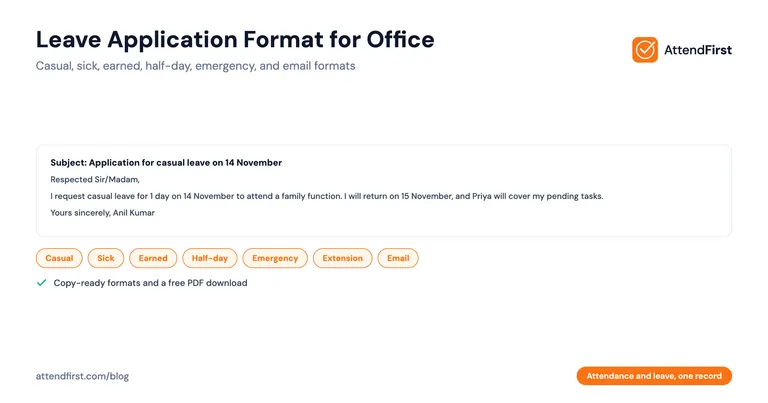
Use this for a short, planned absence. A casual leave application should name the dates and the person covering your work.
Date: [DD Month YYYY]

To,
[Manager's name]
[Designation]
[Company name]

Subject: Application for casual leave on [date] [to [date]]

Respected Sir/Madam,

I request casual leave for [number] day(s) from [start date] to [end date], because I need to attend to [brief reason, for example, a family function or a personal errand].

I will return to work on [return date]. I have finished my pending work on [task or project], and [colleague's name] will cover [specific task] while I am away. You can reach me on [phone number] if something urgent comes up.

Thank you for considering my request.

Yours sincerely,
[Your name]
[Employee ID]
[Designation and department]
Sick leave application for office
Use this when you are ill or need a medical appointment. This version is for an office employee. A letter to a school or college uses different wording.
Date: [DD Month YYYY]

To,
[Manager's name]
[Designation]
[Company name]

Subject: Application for sick leave from [start date] to [end date]

Respected Sir/Madam,

I am unwell with [fever, a stomach infection, or a short description] and my doctor has advised rest for [number] day(s). I request sick leave from [start date] to [end date].

[If the absence is three days or more: I have attached the doctor's prescription and medical certificate.]

I will return on [return date] if I recover as expected. [Colleague's name] has the status of my open work, and I will answer urgent messages on [phone number] when I am able to.

Thank you for considering my request.

Yours sincerely,
[Your name]
[Employee ID]
[Designation and department]
If you are too unwell to write, send your manager a one-line message on the first morning and submit this application when you return. For how sick leave differs from casual leave, see sick leave vs casual leave in India.
Earned leave or privilege leave application format
Use this for a planned absence of several days against your accrued balance. Apply early, because your manager has to plan for several days without you.
Date: [DD Month YYYY]

To,
[Manager's name]
[Designation]
[Company name]

Subject: Application for earned leave from [start date] to [end date]

Respected Sir/Madam,

I request [number] days of earned leave from [start date] to [end date], and I plan to resume work on [return date]. My earned leave balance is [number] days as of today.

I am applying [number] weeks in advance so we can plan around it. Before I leave, I will finish [task] and write a handover note for [colleague's name], who will handle [responsibilities] in my absence.

Thank you for considering my request.

Yours sincerely,
[Your name]
[Employee ID]
[Designation and department]
Half-day leave application format
Use this when you need the first or second half of a working day. The half-day leave policy guide explains how offices count a half-day.
Date: [DD Month YYYY]

To,
[Manager's name]
[Designation]
[Company name]

Subject: Application for half-day leave on [date]

Respected Sir/Madam,

I request half-day leave on [date] for the [first half / second half] of the day, because I need to [reason, for example, visit a hospital or complete a bank formality].

I will be at work [from 2 PM / until 1 PM]. I will finish my urgent tasks before I leave.

Thank you for considering my request.

Yours sincerely,
[Your name]
[Employee ID]
[Designation and department]
Emergency leave application format
Use this when you cannot give notice. Send a call or message first, then this letter when you can.
Date: [DD Month YYYY]

To,
[Manager's name]
[Designation]
[Company name]

Subject: Request for emergency leave from [start date]

Respected Sir/Madam,

I am sorry for the short notice. A family emergency ([one-line reason, for example, a hospital admission of a close relative]) needs me to be away from [start date]. I request leave for [number] day(s) and I expect to return on [return date]. I will tell you at once if this changes.

[Colleague's name] knows where my urgent work stands. You can reach me on [phone number].

I will share any documents you need when I return.

Thank you for considering my request.

Yours sincerely,
[Your name]
[Employee ID]
[Designation and department]
Leave extension application format
Use this when you are already on approved leave and need more days. Send it before your approved leave ends.
Date: [DD Month YYYY]

To,
[Manager's name]
[Designation]
[Company name]

Subject: Request to extend leave from [original end date] to [new end date]

Respected Sir/Madam,

My leave from [original start date] to [original end date] was approved on [approval date]. I need [number] more day(s) because [reason, for example, my doctor has advised more rest or a family matter is not resolved yet].

I request that you extend my leave until [new end date], and I will resume work on [new return date]. [Attach the updated medical certificate if the reason is medical.]

If you cannot approve the extra days as paid leave, please let me know whether I can take them as leave without pay.

Thank you for considering my request.

Yours sincerely,
[Your name]
[Employee ID]
[Designation and department]
Leave request email format
A leave request email is the same request in a shorter form. Put the leave type and dates in the subject line so your manager can find the message later.
To: [Manager's email]
Cc: [HR or colleague covering your work, optional]
Subject: Leave request: [Your name], [start date] to [end date]

Hello [Manager's name],

I would like to request [leave type, for example, casual leave] from [start date] to [end date] ([number] working day(s)). I will be back on [return date].

Reason: [one line].

Work cover: I will finish [task] by [date]. [Colleague's name] will handle [responsibilities] and has my notes.

Please let me know if you approve, or if you need a different plan.

Thank you,
[Your name]
[Employee ID]
[Phone number]
How do you write a leave application that gets approved?
- Put the dates in the subject line. A manager scans the subject before opening the message.
- Give one line of reason. A long explanation invites questions.
- Name the person covering your work, and ask them before you name them.
- State the day you return, not only the day you leave.
- Send the request in writing even if you also told your manager in person. The two records should match.
- Keep a copy. You will need it if the dates or the balance are disputed later.
When is a letter or email enough?
For a team of a few people, a letter or an email works. If your manager reads every request and remembers the balances, you do not need software. Keep the PDF above and the Excel log, and write each request in the log.
Two problems show up as a team grows. Balances drift, because nobody subtracts the days after approval. Leave also sits in an inbox or a chat while attendance sits in a register, so at month-end the two records do not match. Teams that pay by days worked notice this first.
Move from a leave letter to a leave request in an app
An attendance app replaces the letter with a form. Your employees choose a leave type, the dates, a half-day option, and a reason. Their manager approves or rejects it, with an optional note, and the status moves from pending to approved or rejected.
In AttendFirst, the request lands on the same record as attendance. An approved leave day shows as leave on that employee’s attendance, so the employee is not marked absent for it. The balance for each leave type updates when the request is approved. Admins create the leave types, such as casual, sick, and earned, with an annual quota for each. A manager sees and approves requests from their own team.
Nobody writes a letter, and nobody retypes the dates into a spreadsheet at month-end. Read more in how attendance and leave work as one record and in the leave management software guide.
Start tracking attendance and leave. No payment required to start.
Frequently asked questions
What is the correct format of a leave application for office?
A leave application has six parts: the date, the name and designation of the person you are writing to, a subject line that names the leave type and the dates, a greeting, a short body, and a closing with your name and employee ID. The body states the leave type, the first and last day, the reason in one line, the day you return, and who covers your work. Keep it to one page.
How do I write a casual leave application?
Write the subject as 'Application for casual leave on [date]'. In the body, state how many days you need, the dates, a one-line reason, the day you return, and who will cover your pending work. Casual leave is for short, planned absences, so send it before the day if you can.
How do I write a sick leave application for the office?
Name the illness or say that your doctor advised rest, give the first and last day of the absence, and state the day you expect to return. If your leave policy asks for a medical certificate for longer absences, mention that you attached it. If you are too unwell to write a letter, send a short message on the first morning and submit the formal application when you return.
Can I send a leave request by email instead of a letter?
Yes, if your manager accepts it. Most small offices in India accept email or an app request. Use a clear subject line with your name, the leave type, and the dates, and put the same details in the body that a letter would carry.
How early should I apply for leave?
Your company's leave policy sets the notice period. A common practice is a day or more for casual leave, one to two weeks for earned leave, and as soon as possible for sick or emergency leave. If your policy does not say, ask your manager and put the answer in writing.
What should I do if my leave is rejected?
Ask your manager for the reason and whether other dates work. A rejection is often about timing, such as a deadline or too many people away on the same day. Reply in writing with an alternative date so that the request and the answer are both on record.
Is a leave application letter legally required in India?
No central law requires a letter in a set format. State Shops and Establishments Acts set casual and sick leave for most small businesses, and your employer's leave policy decides how you apply. A written request, whether a letter, an email, or an app request, gives both sides a record.
Get attendance tips for Indian businesses
One practical guide per week. No spam.
Put attendance and leave in one record
Indian holidays and weekly offs come already loaded. Setup takes 5 minutes, and no payment is required to start.