AttendFirst designations - manage employee job titles
Maintain a clean list of job titles in AttendFirst. Pick a designation when adding an employee, and filter the employee list by role or designation name.
The Designations page is where admins maintain the list of job titles used in the company. An employee belongs to one department and holds one designation. Unlike departments, designations are a single field - just a name.
Your designation list
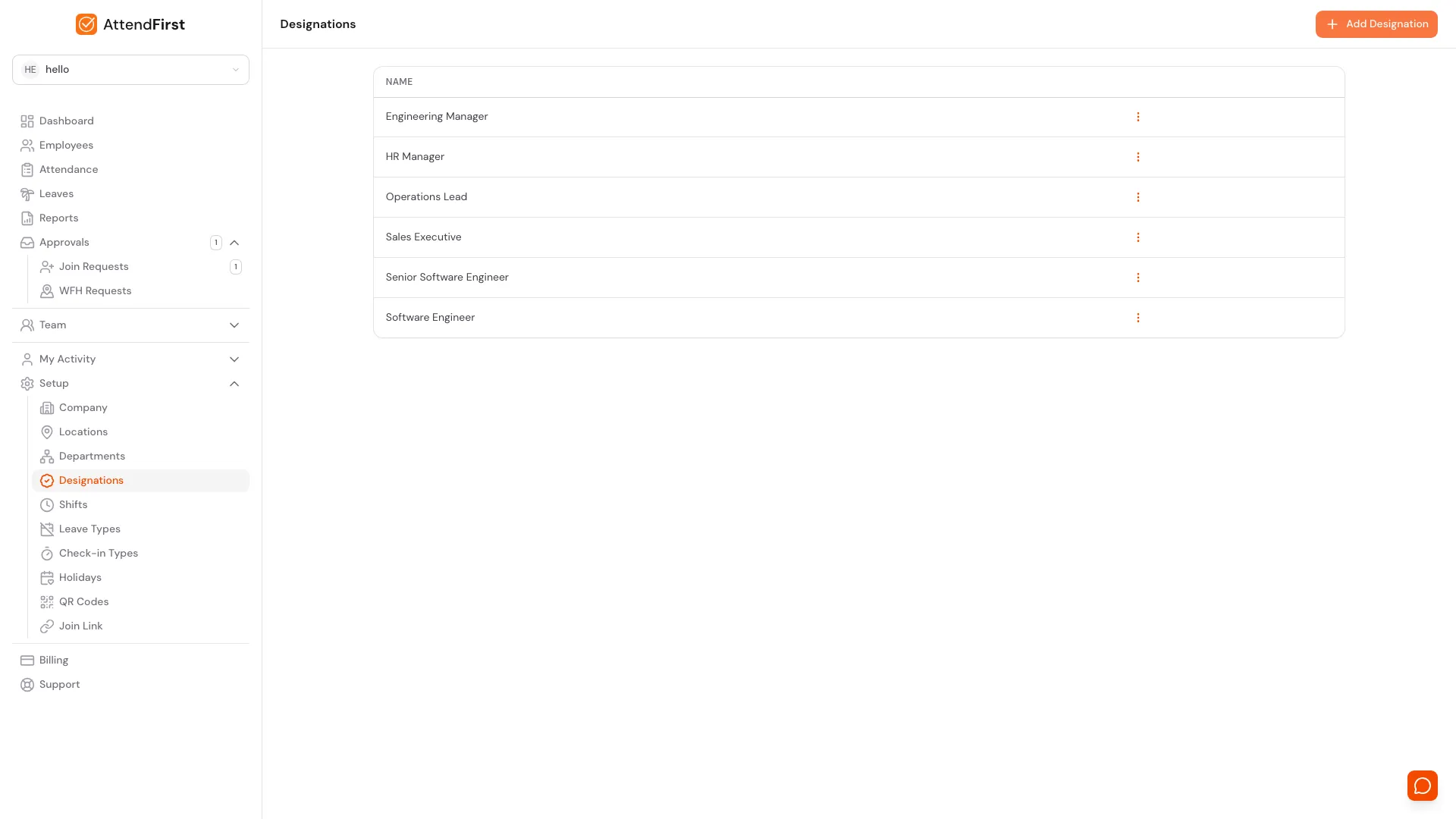
/admin/settings/designations. Every role your company uses in one alphabetical list.
Go to Setup → Designations. The table has a single Name column - designations are just titles, nothing else. Click the three-dot menu on any row to Edit or Delete.
Adding a new title
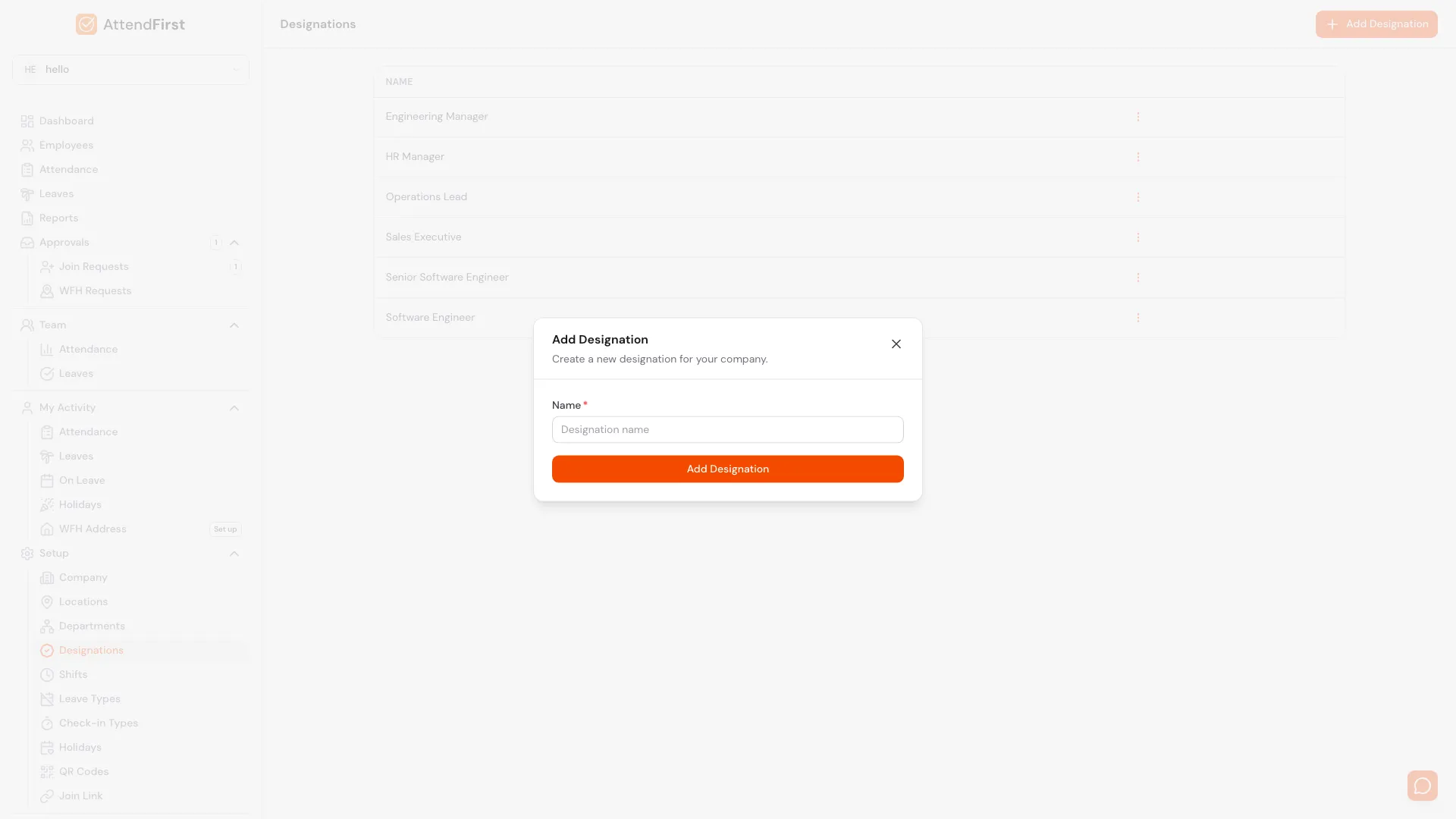
Click Add Designation in the top right. Enter a name and click Add Designation. The new title is immediately available on:
- The Add/Edit Employee modal.
- The Join Request review modal.
- The public join form (if you have configured designations).
Naming conventions
Because designations are free-text, a messy list is easy to accumulate. Pick one format and stick to it: title case throughout (Software Engineer, not SOFTWARE ENGINEER); no non-standard abbreviations; seniority when it matters (Senior Software Engineer, Junior Designer); role before specialization (Engineering Manager, not Manager, Engineering).
A consistent list makes filtering and reporting easier six months from now.
Updating or removing a title
Click the three-dot menu on any row:
- Edit: rename the designation. Every employee holding that title moves with the rename automatically.
- Delete: only works on designations with no assigned employees. Reassign them first or the delete is blocked.
A starter list
A 20-person SMB might have:
| Designation | Department |
|---|---|
| Engineering Manager | Engineering |
| Senior Software Engineer | Engineering |
| Software Engineer | Engineering |
| Junior Software Engineer | Engineering |
| Sales Manager | Sales |
| Sales Executive | Sales |
| HR Manager | Human Resources |
| Operations Lead | Operations |
| Marketing Associate | Marketing |
Start with a handful. Add more as the team grows.
Frequently asked questions
Is designation the same as role?
No. Role in AttendFirst means admin / manager / employee - it controls permissions. Designation is the job title shown on the employee’s profile. The two are unrelated.
Can two employees share the same designation?
Yes. It’s a label, not a headcount slot. Twenty people can all be Software Engineers.
Does designation unlock any features or change attendance rules?
No. Features are driven by role (admin/manager/employee). Designation is display-only.
Can an employee change their own designation?
No. Only admins can edit it from the employee record, which keeps the title list tidy.
How is designation different from department?
Department = team or function (Engineering, Sales). Designation = the job itself (Software Engineer, Sales Executive). An employee belongs to one of each independently.
Related docs
- Departments. The other grouping label, used for team or function.
- Managing employees. Assign designations when adding or editing employees.
- Self-join link. Designations show up as a dropdown on the public join form.
Steps
- Open Designations.Go to Setup → Designations. Every job title your company uses is listed here.
- Click Add Designation.A modal opens asking for a single field - the name.
- Enter the title.Pick a short, consistent format (Software Engineer, Sales Executive). Keep capitalization consistent.
- Save.Click Add Designation. The new title is available on the Add/Edit Employee modal and the join request review modal.
Frequently asked questions
What's the difference between a department and a designation?
Department is where someone works (Engineering, Sales). Designation is what they do (Software Engineer, Sales Executive). An employee has exactly one of each.
Can two employees have the same designation?
Yes. Designation is a label, not a unique position. Twenty employees can all be Software Engineers.
Can I change an employee's designation later?
Yes. Edit the employee record and pick a different designation. Past attendance records are unaffected.
Can I delete a designation that's in use?
No. Employees assigned to it must be moved to a different designation first, then you can delete.
Does designation affect permissions, pay, or attendance?
No. Designation is a display label. Permissions are driven by role (admin, manager, employee). Attendance is driven by shift. Pay happens outside AttendFirst.