AttendFirst holidays - Indian gazetted holiday setup
Load the Indian gazetted holiday list into AttendFirst in one click. Add company-wide or location-specific holidays, mark optional dates, and publish them.
A holiday in AttendFirst is a non-working date: employees who don’t check in are not marked Absent, and the date appears on the shared leave calendar for everyone the holiday applies to. AttendFirst ships with a per-year Indian gazetted holiday list of about 20 dates, including Republic Day, Independence Day, Gandhi Jayanti, Diwali, Holi, and Eid. Import the whole list with one click under Setup → Holidays.
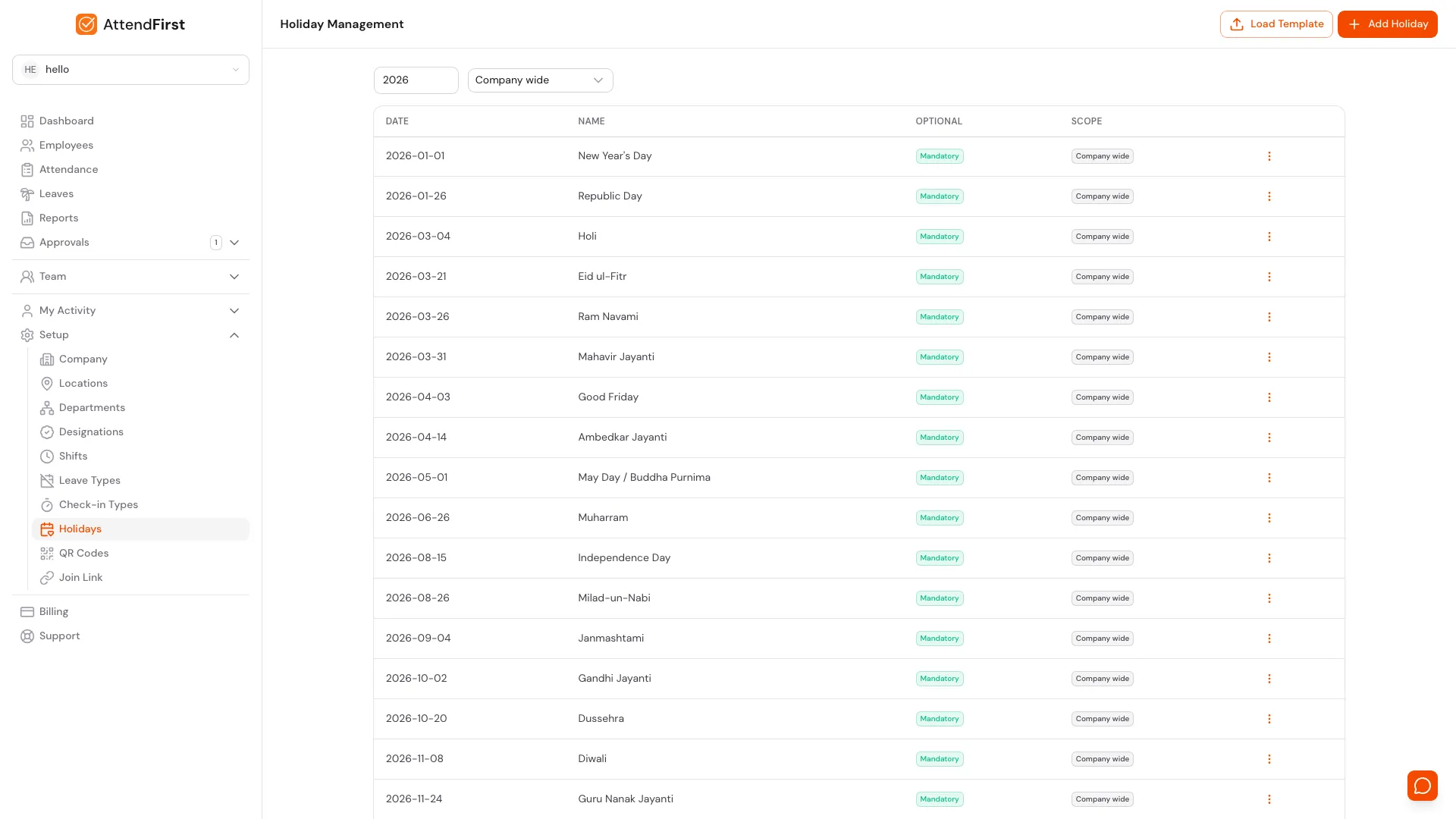
/admin/settings/holidays. One year at a time, with a Load Template shortcut and a scope filter.
What the list shows
Each row shows the date, the holiday name, whether it is Mandatory or Optional, and its scope as a coloured badge:
- Company wide (grey badge): applies to every employee in every location.
- Location name (blue badge): applies only to employees assigned to that location.
Two filters sit above the list:
- Year: numeric input, defaults to the current year.
- Scope picker: defaults to Company wide. Pick a specific location to see Company wide holidays plus the location-scoped ones together.
Adding a holiday
Click Add Holiday in the top right. Fields:
- Date: the calendar date in YYYY-MM-DD format.
- Name: shown on the calendar (for example, “Republic Day”).
- Optional: turn on if this is a floating holiday employees can choose to take.
- Applies to: scope picker. Pick Company wide to apply to everyone, or pick a location to apply only there. Default is Company wide.
Save, and the date appears immediately on the calendar for the matching employees.
If you click Add Holiday from inside a location’s detail page (under /admin/settings/locations/[id]?tab=holidays), the scope is locked to that location. This prevents accidental org-wide changes from a per-location screen.
Bulk-importing Indian holidays
AttendFirst maintains a per-year list of Indian gazetted holidays: about 20 dates including Republic Day, Independence Day, Gandhi Jayanti, and the major festivals. Floating dates like Diwali, Holi, and Eid are updated annually.
To import:
- Click Load Template in the top right.
- Pick a year.
- Review the list and uncheck any your company doesn’t observe.
- Click Import.
Imported holidays are created as Company wide, so they apply to every employee in every location. Re-running the import is safe - existing dates are skipped, never duplicated.
Optional holidays
Mark a holiday Optional to let employees choose whether to take it off. On optional holidays:
- Employees can still check in and work normally. Status will be Present as usual.
- Employees can also request the day as leave, which routes to their manager for approval.
- The calendar shows the date with a dashed border to signal it is optional.
Common optional holidays in India: Ambedkar Jayanti, regional festivals like Pongal outside Tamil Nadu, Good Friday.
Multi-location holidays
Regional festivals are the main reason to scope a holiday. If your Hyderabad office observes Ugadi but your Bangalore office doesn’t:
- Open Add Holiday.
- In the Applies to picker, choose Hyderabad Office instead of Company wide.
- Save.
Employees at the Hyderabad location see Ugadi as a holiday on their calendar; the Bangalore team sees a normal working day for that date.
You can also add the same holiday straight from the location’s detail page (Setup → Locations → click a location → Holidays tab → Add Holiday). The scope is locked to that branch on this path, which prevents accidental Company wide changes.
For the full list of how locations affect holidays, see Multi-location attendance.
What employees see
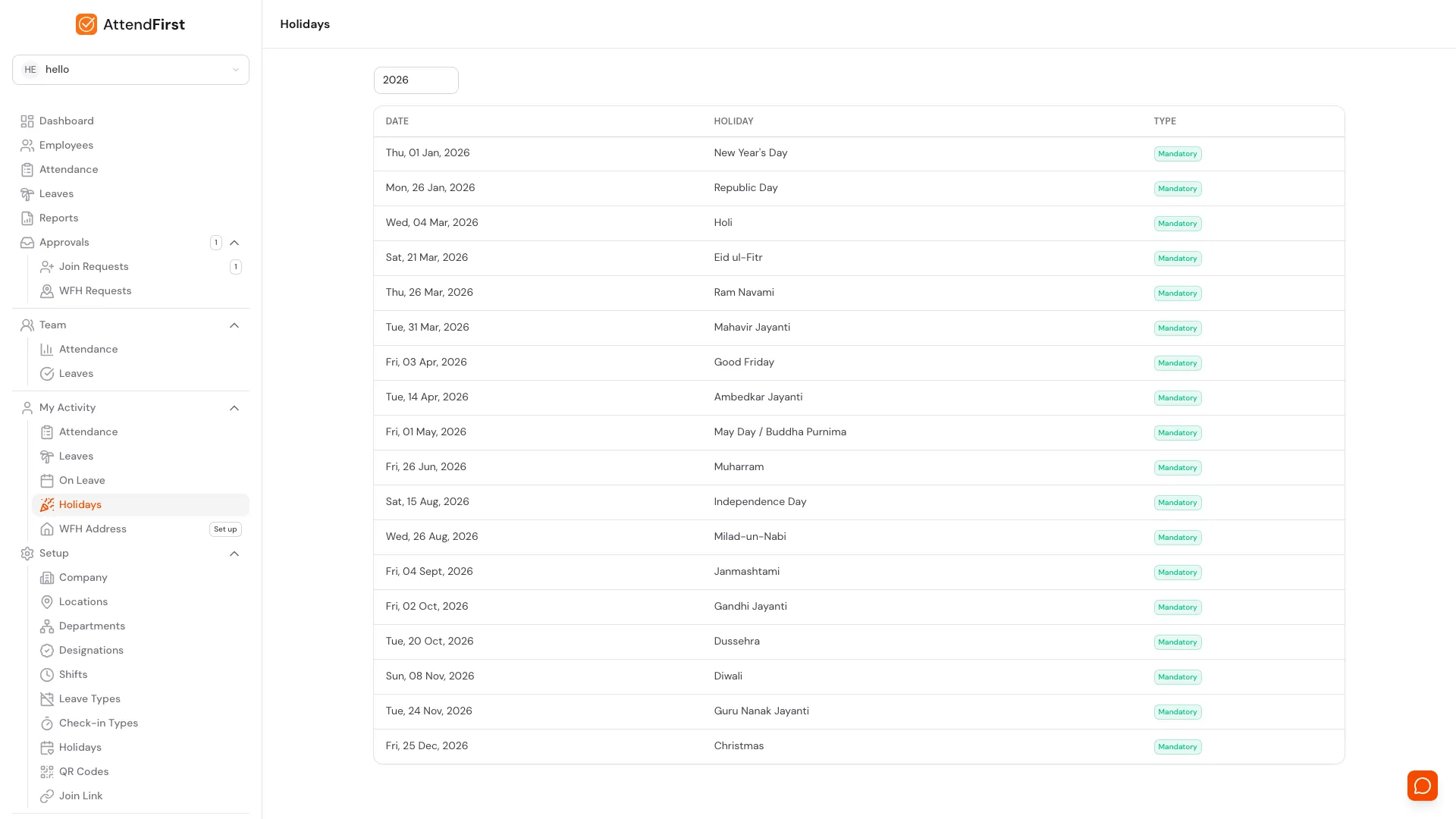
/holidays in the sidebar under My Activity. Every employee gets a read-only year view filtered to their location.
The Holidays page under My Activity shows a read-only year view for the logged-in employee. They see:
- Every Company wide holiday for the selected year.
- Plus holidays scoped to their assigned location.
Admins publish; employees read.
How holidays affect attendance
On a holiday:
- No check-in required. Employees are not marked Absent.
- If an employee does check in (optional holiday, or the company works that day), attendance is recorded with status Present.
- The day shows on the Attendance status reference as Holiday.
Editing and deleting
Click the three-dot menu on any row. Editing opens the form with current values; you cannot change the scope of an existing holiday (delete and re-add to move scope). Deleting a past holiday does not retroactively change past attendance status - records stay as they were.
Frequently asked questions
Why do the Diwali and Holi dates change every year?
Because they follow the lunar calendar. AttendFirst updates the floating-holiday dates in the template each December for the next calendar year. Use Load Template annually to refresh.
Can I have different holidays per location?
Yes. Use the Applies to picker on the Add Holiday form, or add the holiday from inside the location’s detail page. Location-scoped holidays only appear for employees at that location.
Do holidays count against leave balance?
No. Holidays are non-working days and don’t subtract from anyone’s leave quota. Only approved leave requests do.
What if a holiday falls on a weekend?
AttendFirst does not auto-shift the holiday to Monday. If you want a compensatory off, add a separate holiday entry on the Monday with a name like “Republic Day observed”.
Can I delete a Company wide holiday for just one location?
No. Company wide holidays apply everywhere by design. To exclude one location, delete the Company wide entry and add per-location holiday entries for every other location instead. Or mark it Optional so employees at the location that doesn’t observe it can still apply for leave.
Related docs
- Locations. Set up the branches that location-scoped holidays apply to.
- Working hours and shifts. Which days are working days to begin with.
- Leave requests. How optional holidays convert to leave applications.
- Attendance status reference. All status codes including Holiday.
Steps
- Open the Holidays page.Go to Setup → Holidays. The year filter defaults to the current calendar year and the scope filter defaults to Company wide.
- Click Load Template.Pick the year in the modal and click Load Holidays. AttendFirst seeds about 20 gazetted Indian holidays including Republic Day, Independence Day, Gandhi Jayanti, Diwali, Holi, and Eid.
- Review and uncheck anything you do not observe.The list of dates appears with checkboxes. Uncheck any date your company does not observe, then click Import. Existing dates are skipped so imports are safe to re-run.
- Add company-specific or location-specific holidays.Click Add Holiday. Enter Date, Name, and toggle Optional. Use the Applies to picker to pick Company wide or a specific location. Default is Company wide.
- Re-import in December each year.Floating dates like Diwali, Holi, and Eid change every year. AttendFirst updates the template each December. Re-import annually to keep dates correct.
Frequently asked questions
Does AttendFirst come with Indian holidays pre-loaded?
Yes. AttendFirst ships with a per-year template of about 20 Indian gazetted holidays including Republic Day, Independence Day, Gandhi Jayanti, Diwali, Holi, and Eid. Import with one click under Setup → Holidays.
Why do Diwali and Holi dates change every year?
Because they follow the lunar calendar. AttendFirst updates floating-holiday dates in the template each December for the next calendar year. Re-import annually to refresh.
Can I have different holidays for different office locations?
Yes. When you add a holiday, use the Applies to picker to scope it to a specific location instead of Company wide. Employees at that location see the holiday on their calendar; employees at other locations do not.
Do holidays count against leave balance?
No. Holidays are non-working days and do not subtract from anyone's leave quota. Only approved leave requests do.
What happens if a holiday falls on a weekend?
AttendFirst does not auto-shift the holiday. If you want a compensatory off on Monday, add a separate holiday entry for that date.